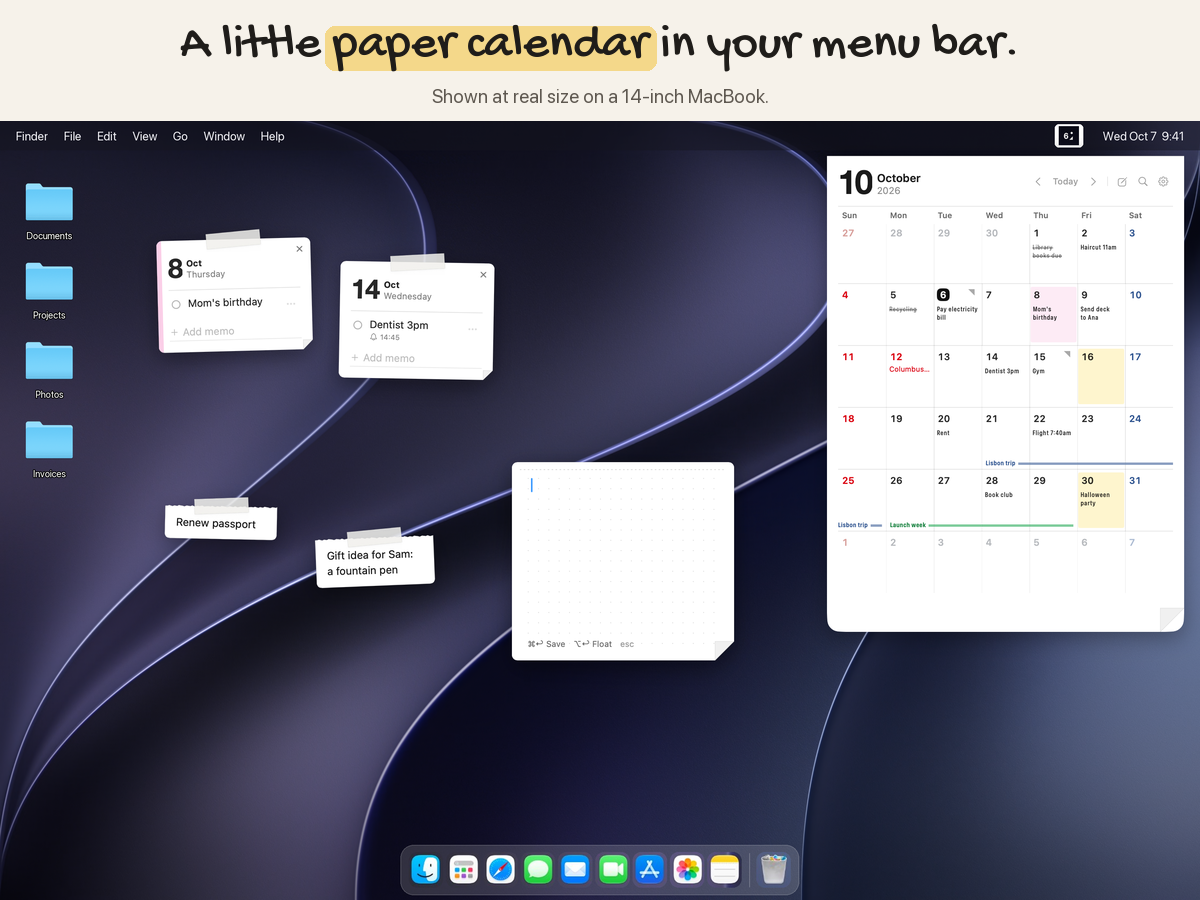
Creaseday isn't a to-do system or a big planner. It's a little paper calendar in your Mac's menu bar. Click the date and your month is right there: memos, colored days and trips sit in the squares, so one look tells you what's coming. Pull a day onto your desktop to keep what needs doing in sight, and set a reminder when you want a nudge. That's it. No setup, nothing to learn.
Key Features
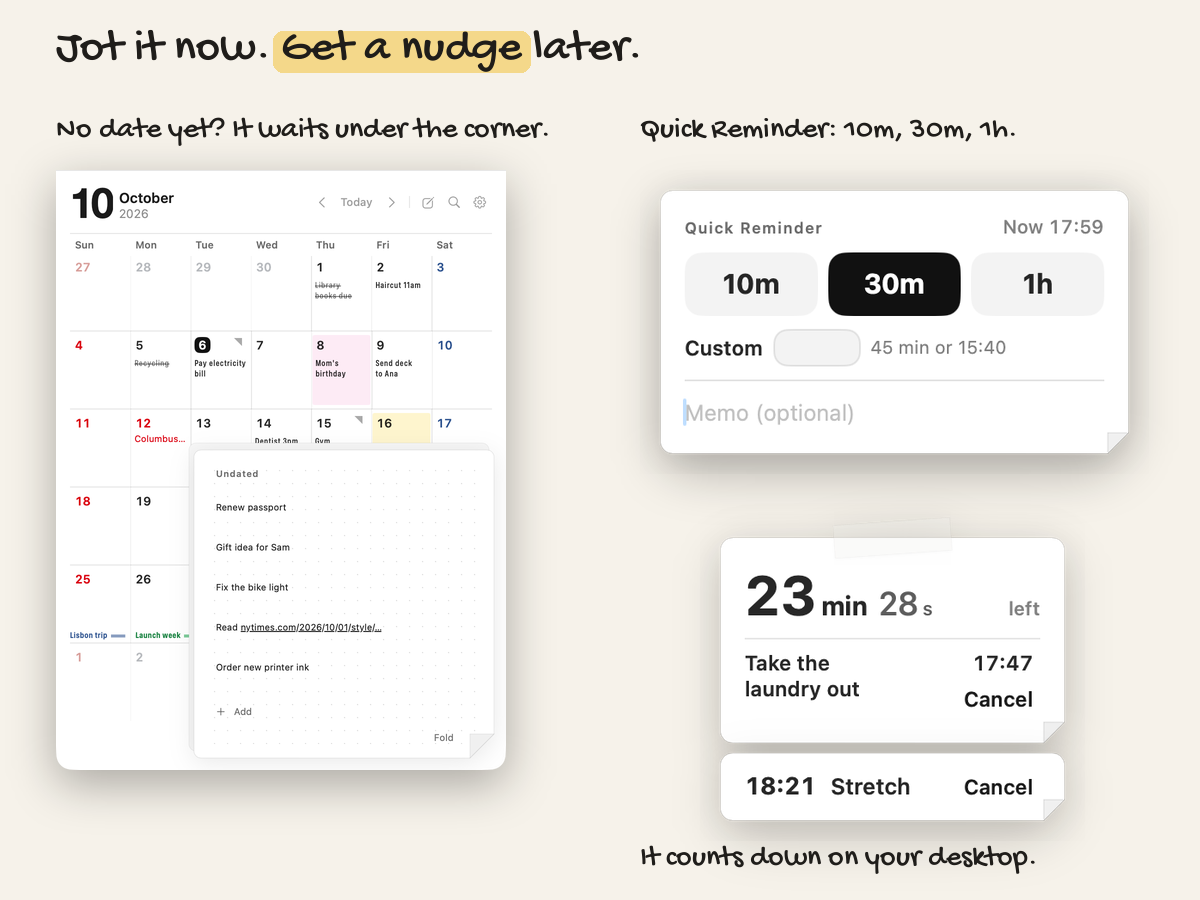
- Read it at a glance — six weeks, no scrolling. The first memo shows right in the square, and a small corner mark tells you there's more.
- Color days and draw spans — a highlighter for days that matter, and lines that run across weeks for trips and deadlines.
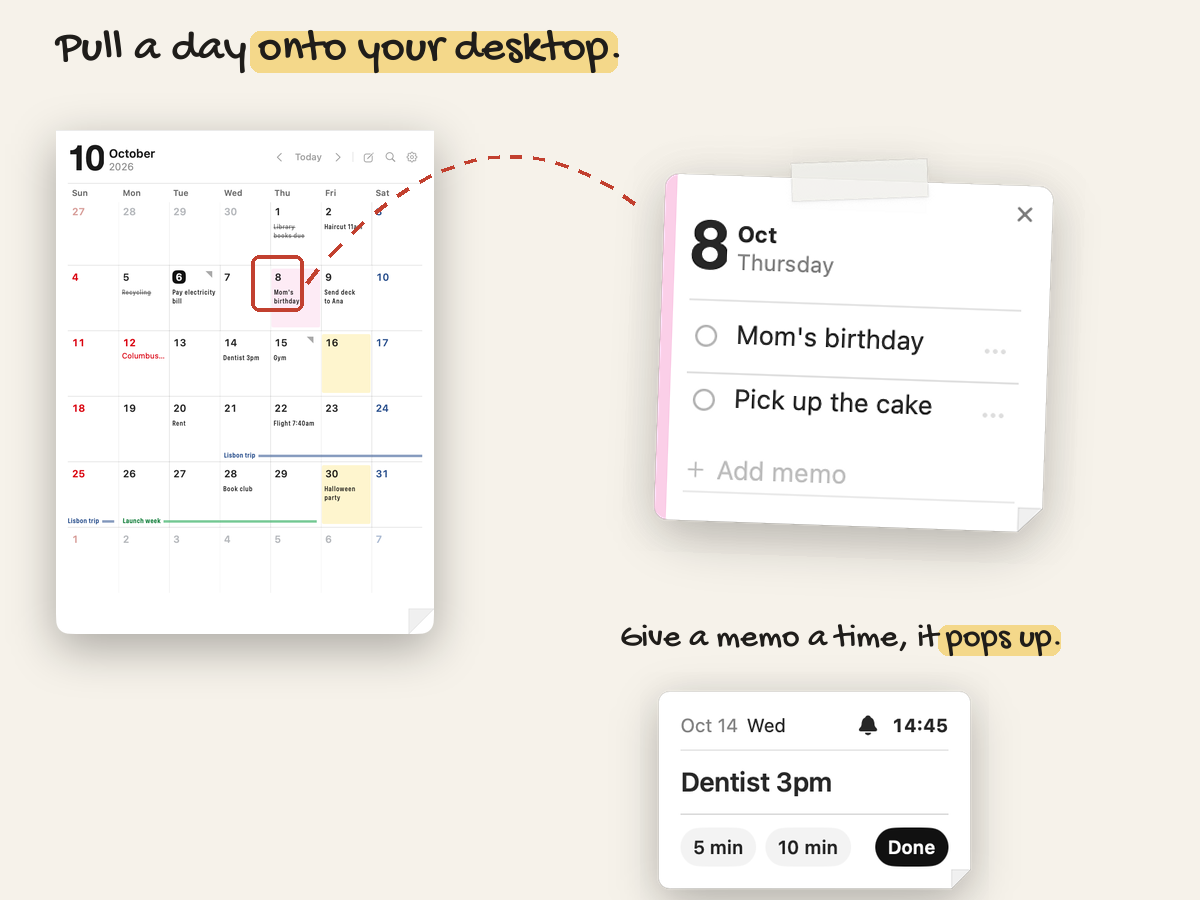
- Drag a day out — pull any date onto your desktop as a sticky note that knows its date. Write on it, check things off, and tape it above other windows.
- Undated — to-dos without a day wait on a sheet folded under the calendar's corner. Press ⌥↩ to float one on your screen.
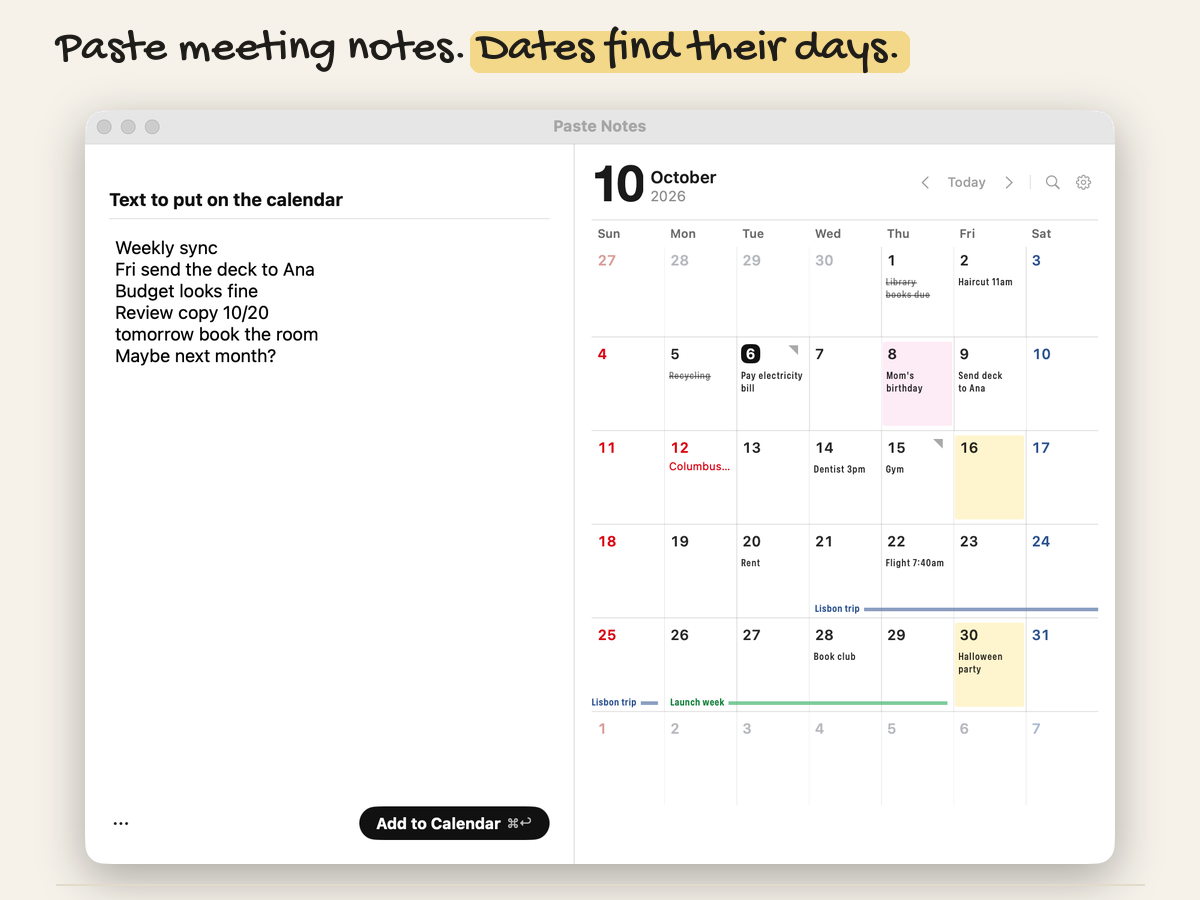
- Paste Notes — paste meeting notes and every line that starts with a date becomes a memo on that day. Simple local rules, no AI, no internet.
- Reminders, only when you ask — give a memo a time, or start a Quick Reminder for 10, 30 or 60 minutes.
- Start from anywhere — click or right-click the menu bar date, use your own shortcut, or send selected text from any app with Services → Add to Creaseday.
- Search, color names, export and import, light and dark, English and Korean.
Privacy
No account, no sign-up, no analytics. Everything is saved on your Mac; the only connection is an optional update check you can turn off.
Pricing
One-time purchase, lifetime updates (installed from inside the app). $5.99 until December 31, then $7.99. 14-day refund, no reason needed.
Requires macOS 14 Sonoma or later on Apple Silicon.