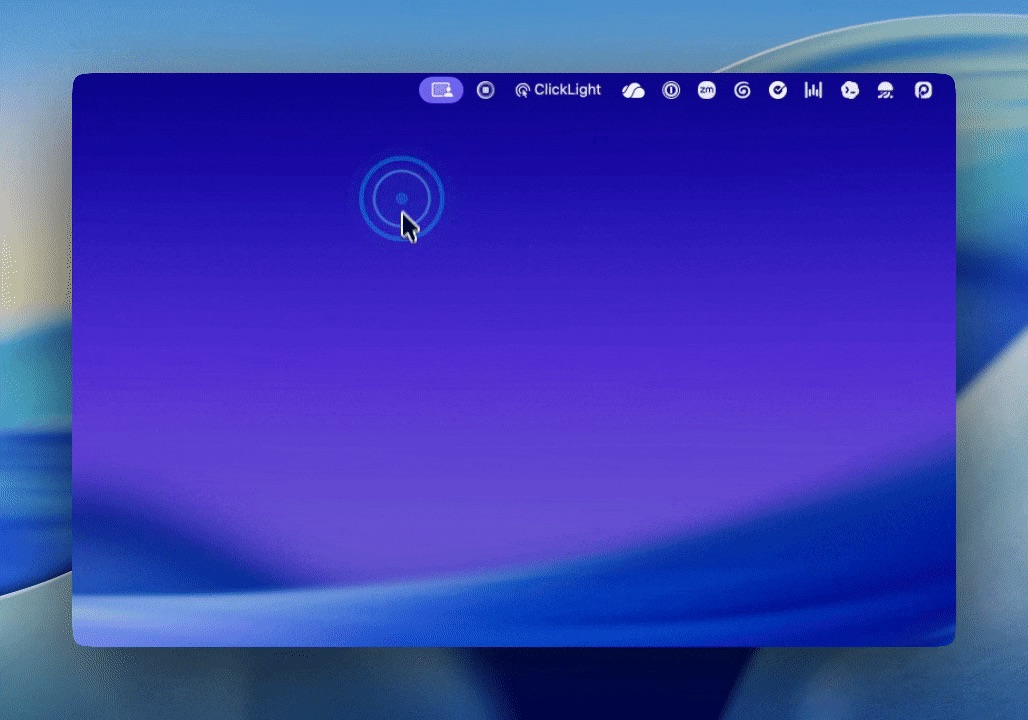
ClickLight is a tiny native macOS menu-bar app for live demos. It highlights clicks anywhere on your Mac so viewers can see when you actually pressed, even if the UI responds slowly.
Features
- Shows click highlights across macOS apps
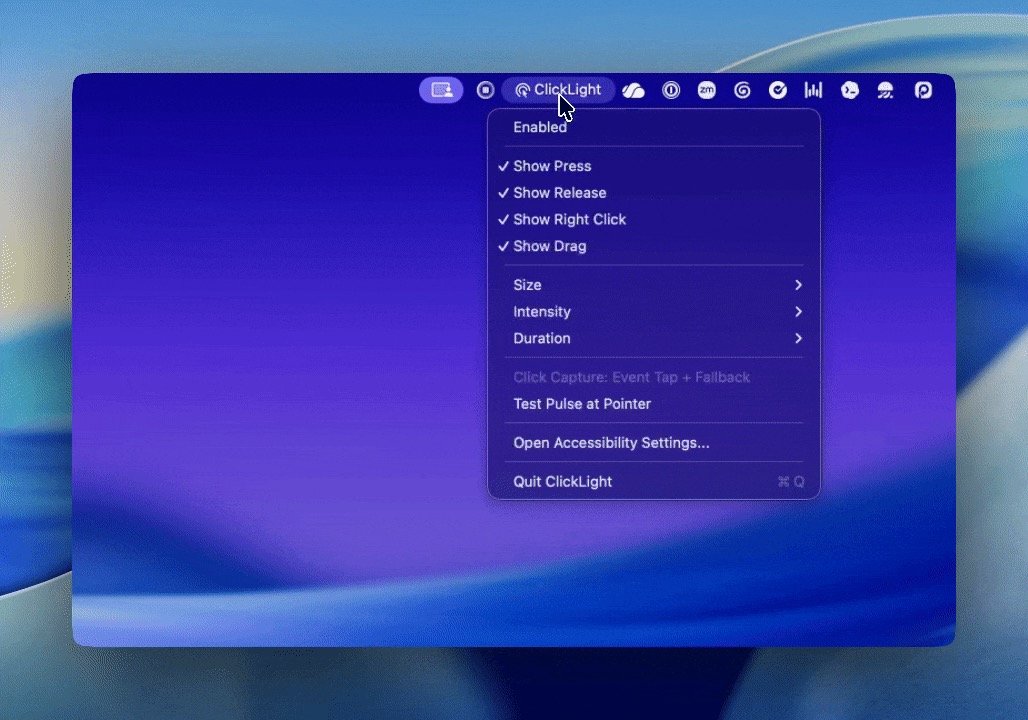
- Distinguishes press, release, right-click, and drag
- Lets you tune size, duration, and intensity from the menu bar
- Works as a local Swift/AppKit app, no Xcode project required
How It Works
ClickLight runs as a menu bar application and uses macOS event taps to detect click events system-wide. When you click, it displays an animated overlay at the click location, making your clicks visible to viewers during screen recordings or live presentations.
Installation
ClickLight does not have a packaged installer yet. Build it locally using the provided build script:
./build-app.sh
open ClickLight.app
Then grant Accessibility permission in System Preferences.
Technical Details
Built with Swift Package Manager and AppKit. The app is intentionally small so you or an agent can change it without much ceremony.