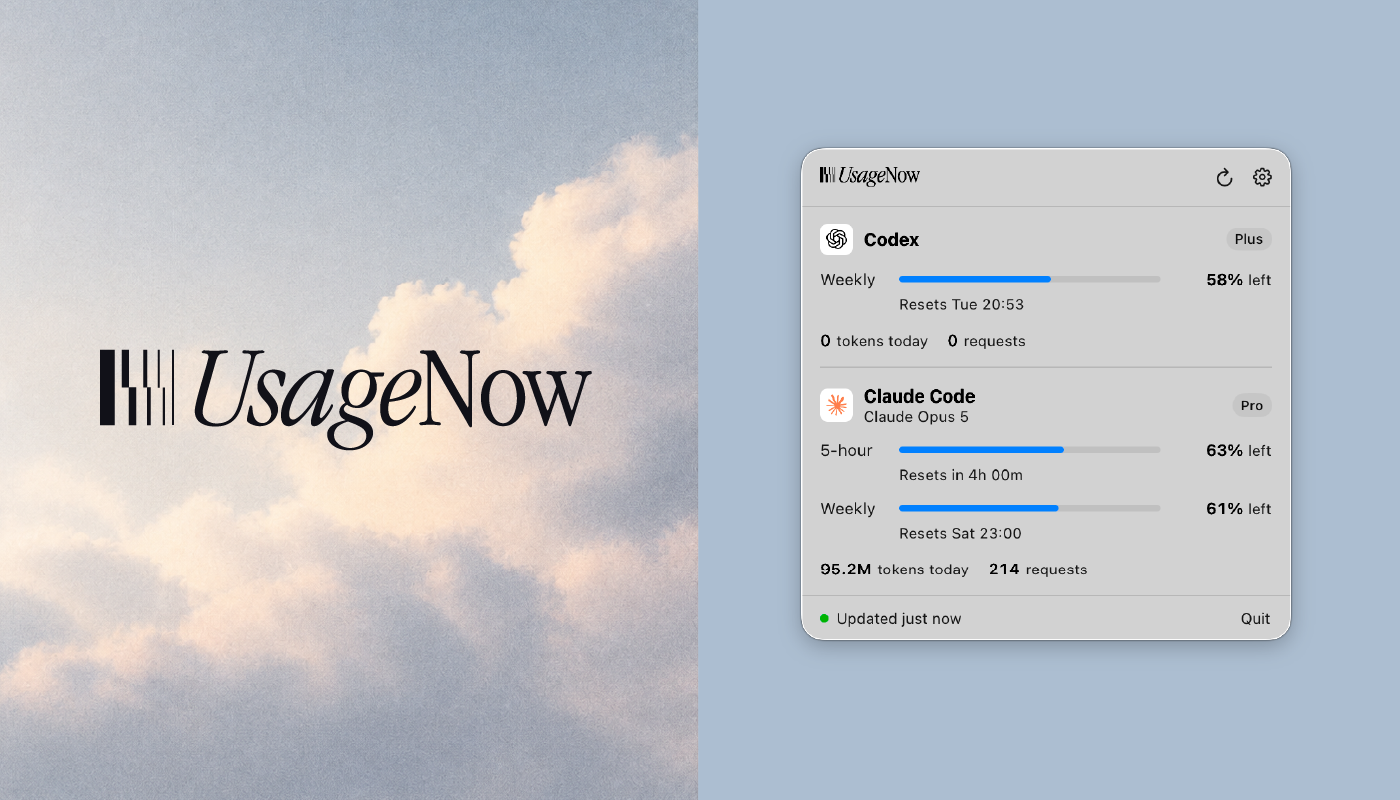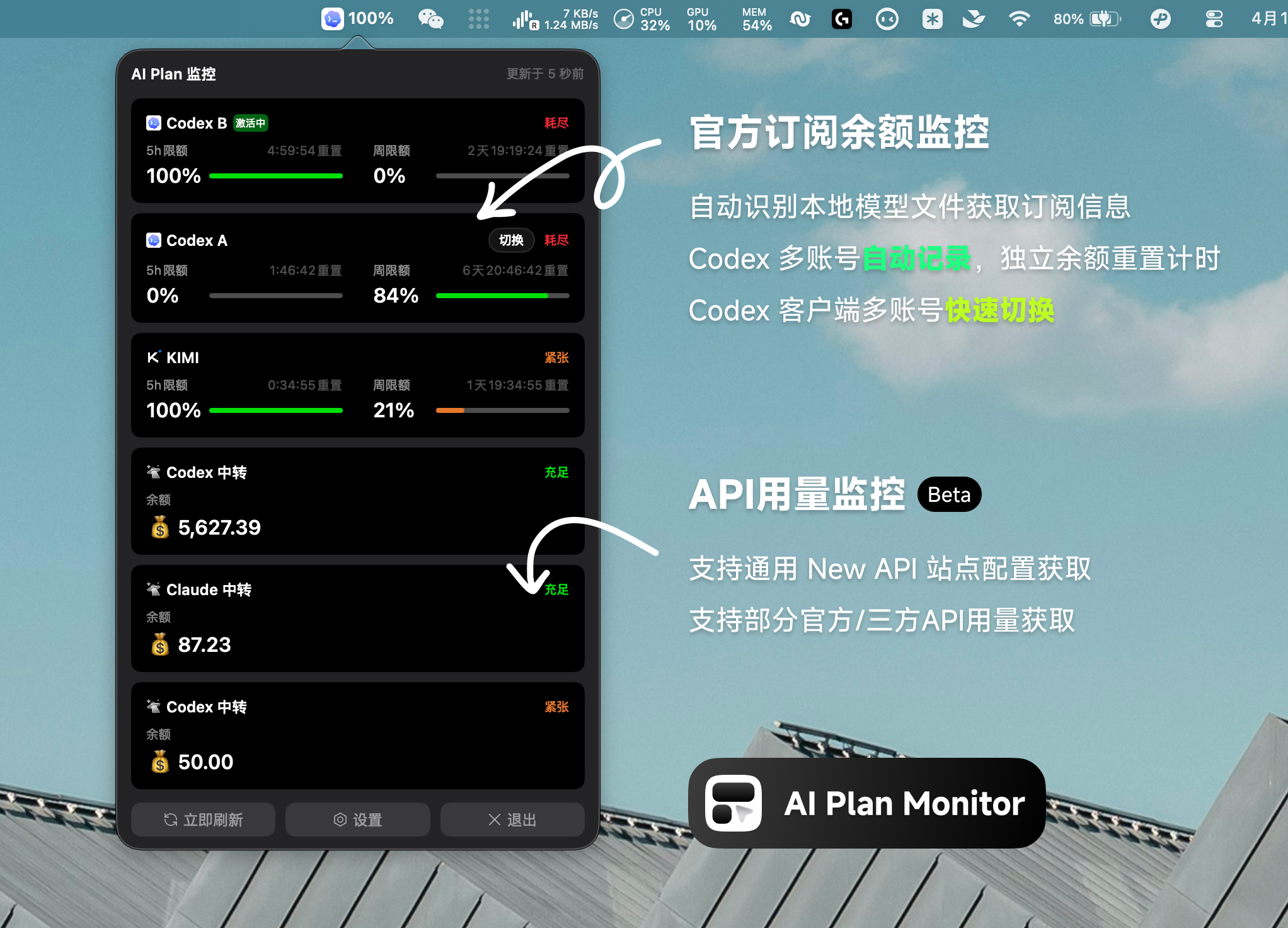
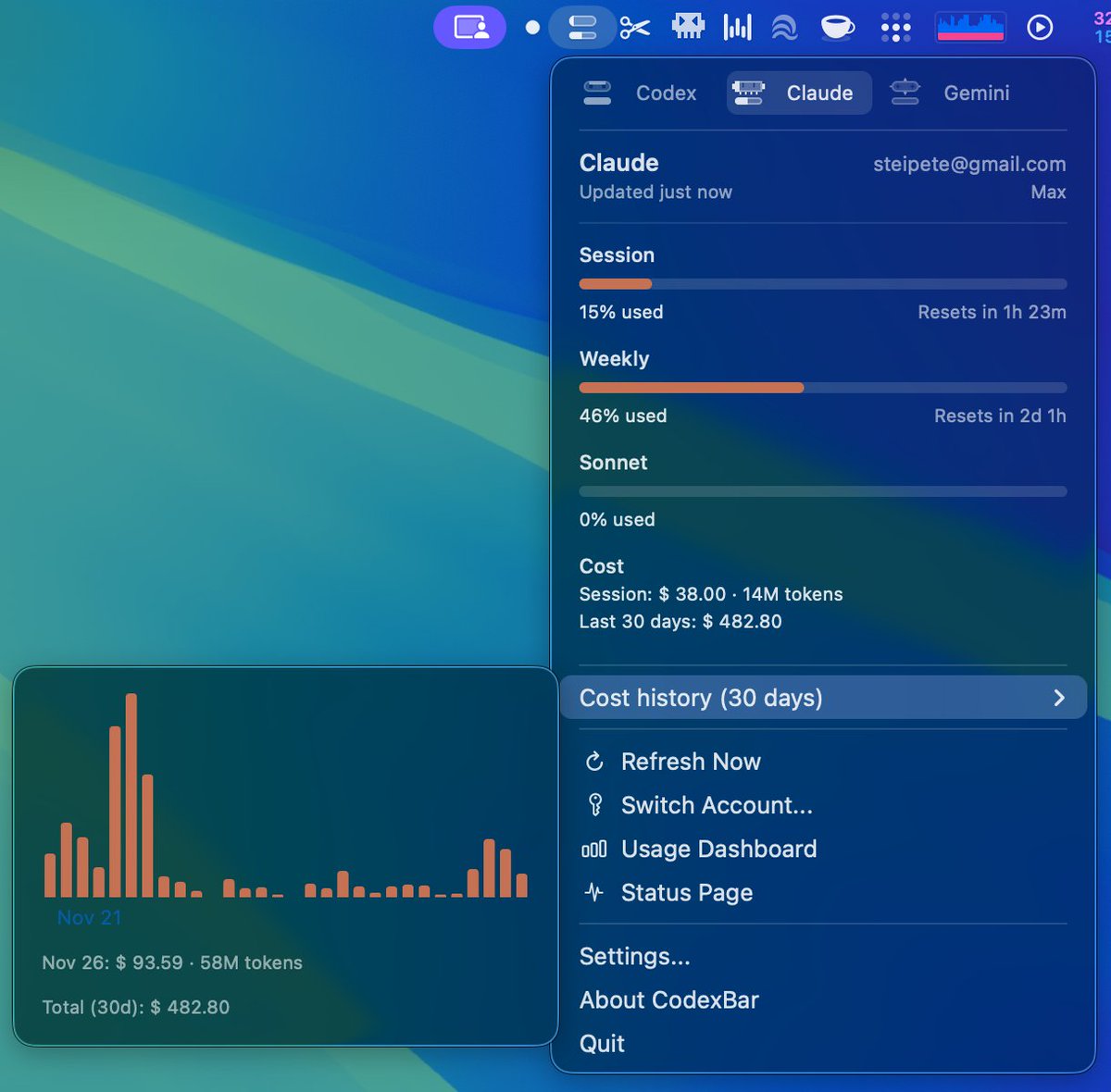
CodexBar is a lightweight macOS 15+ menu bar application designed to help developers monitor their AI coding assistant usage limits without requiring browser logins. The app provides real-time visibility into usage statistics for both OpenAI Codex and Claude Code services.
What It Does
CodexBar displays usage statistics directly in your macOS menu bar, showing both 5-hour session limits and weekly usage windows for supported AI coding services. The app uses dynamic bar icons that provide visual feedback about your remaining quota - the top bar represents your 5-hour window (or credits when weekly limits are exhausted), while the bottom bar shows weekly usage as a thin line.
Key Features
Dual Provider Support
The application supports both Codex and Claude Code simultaneously, with separate status items for each provider. Codex is enabled by default, while Claude Code automatically activates when the Claude CLI is detected on your system.
Multiple Data Sources
For Codex, the app primarily uses the local codex app-server RPC to fetch rate limits and credits, falling back to parsing codex /status command output when the RPC is unavailable. It can optionally access OpenAI web data by reusing existing browser sessions from Safari or Chrome to show code review limits, usage breakdowns, and credits history.
For Claude Code, the app runs /usage and /status commands through the Claude CLI in a local PTY environment to extract session, weekly, and Sonnet-specific usage data, along with account information.
Privacy-Focused Design
All data processing occurs locally on your device. The app doesn't scan your disk or send information to external servers. Account details remain siloed per provider - Codex information comes from RPC responses or local auth files, while Claude data comes exclusively from CLI output.
Installation Options
Users can install CodexBar through Homebrew using brew install --cask steipete/tap/codexbar or download pre-built releases directly from GitHub. The app includes automatic updates via Sparkle framework.
Technical Requirements
The application requires macOS 15+ and works with Codex CLI version 0.55.0 or higher and the Claude Code CLI. For the optional OpenAI web features, users need to maintain active sessions on chatgpt.com in Safari or Chrome, which may require granting Full Disk Access permissions for cookie import functionality.
Refresh and Monitoring
CodexBar offers configurable refresh intervals ranging from manual updates to automatic refreshes every 1, 2, 5 (default), or 15 minutes. The app provides clear error messaging when services are unavailable or not properly configured, while maintaining cached data when possible.
This tool is particularly valuable for developers who frequently use AI coding assistants and want to avoid hitting usage limits unexpectedly, providing a convenient way to monitor their consumption patterns without interrupting their workflow.