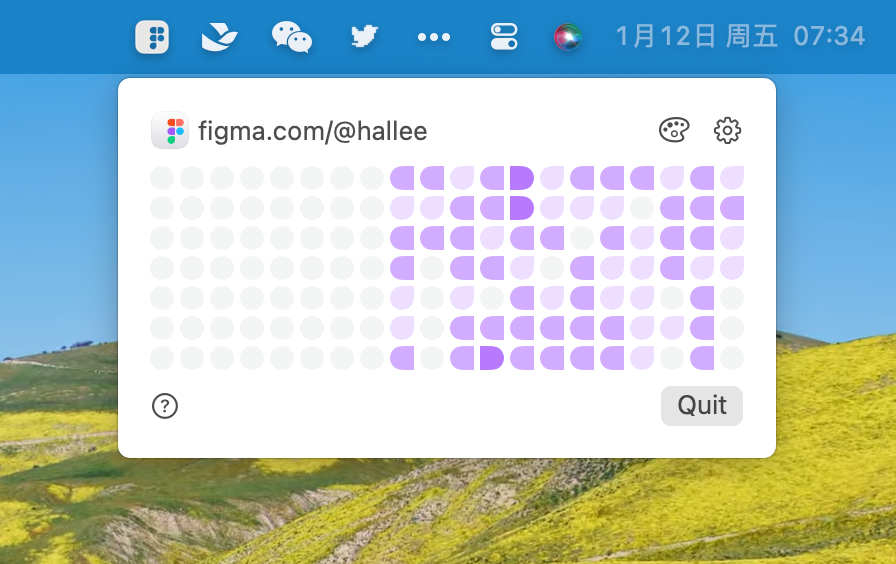
FigmaActivityCalendar is a menu bar application designed specifically for macOS users to monitor and visualize their Figma usage patterns. This productivity tool helps designers and creative professionals understand how much time they spend in Figma through an intuitive activity calendar interface.
Key Features
- Activity Tracking: Automatically monitors when you activate the Figma window and tracks the duration of your usage sessions
- Visual Heatmap: Displays your Figma usage data as a heatmap calendar, similar to GitHub's contribution graph
- Local Data Storage: All usage data is stored locally on your device for privacy and security
- Five Activity Levels: Color-coded tiles represent different usage intensities:
- Level 1: Less than 1 minute (grey tile)
- Level 2: 1-30 minutes
- Level 3: 30 minutes - 3 hours
- Level 4: 3-6 hours
- Level 5: More than 6 hours
Technical Details
- Platform: macOS only (requires macOS 13.0.0 Ventura or later)
- Language: Built with Swift (100%)
- Repository Stats: 33 stars, 1 fork, 7 releases
- Latest Version: V1.2.1 (December 24, 2023)
Installation
The app can be installed by downloading the DMG file from the releases page and dragging it to the Applications folder. Users may need to bypass macOS security warnings for unidentified developers.
This tool is particularly useful for designers who want to track their productivity, understand their work patterns, or simply visualize how much time they dedicate to design work in Figma.