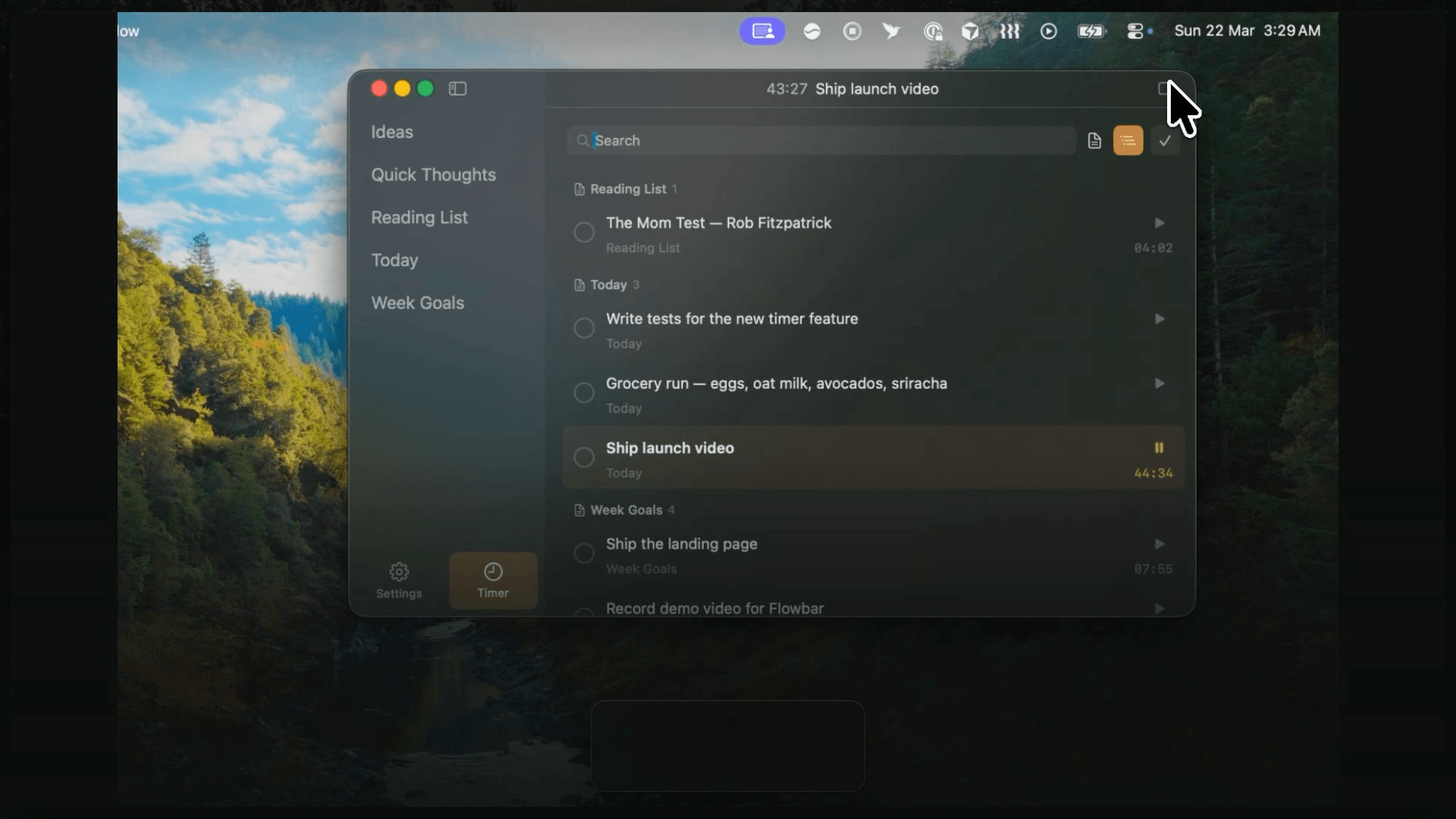
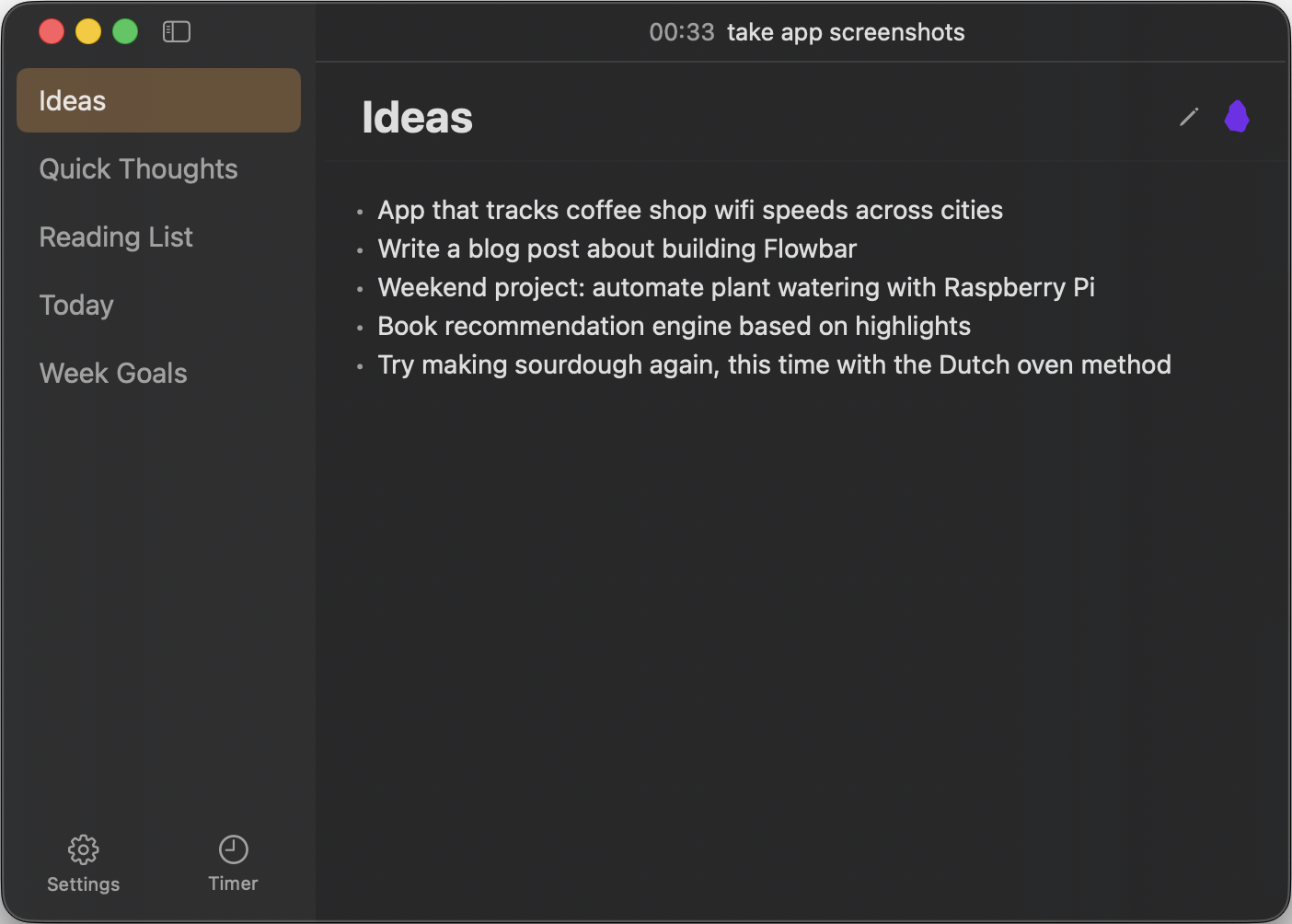
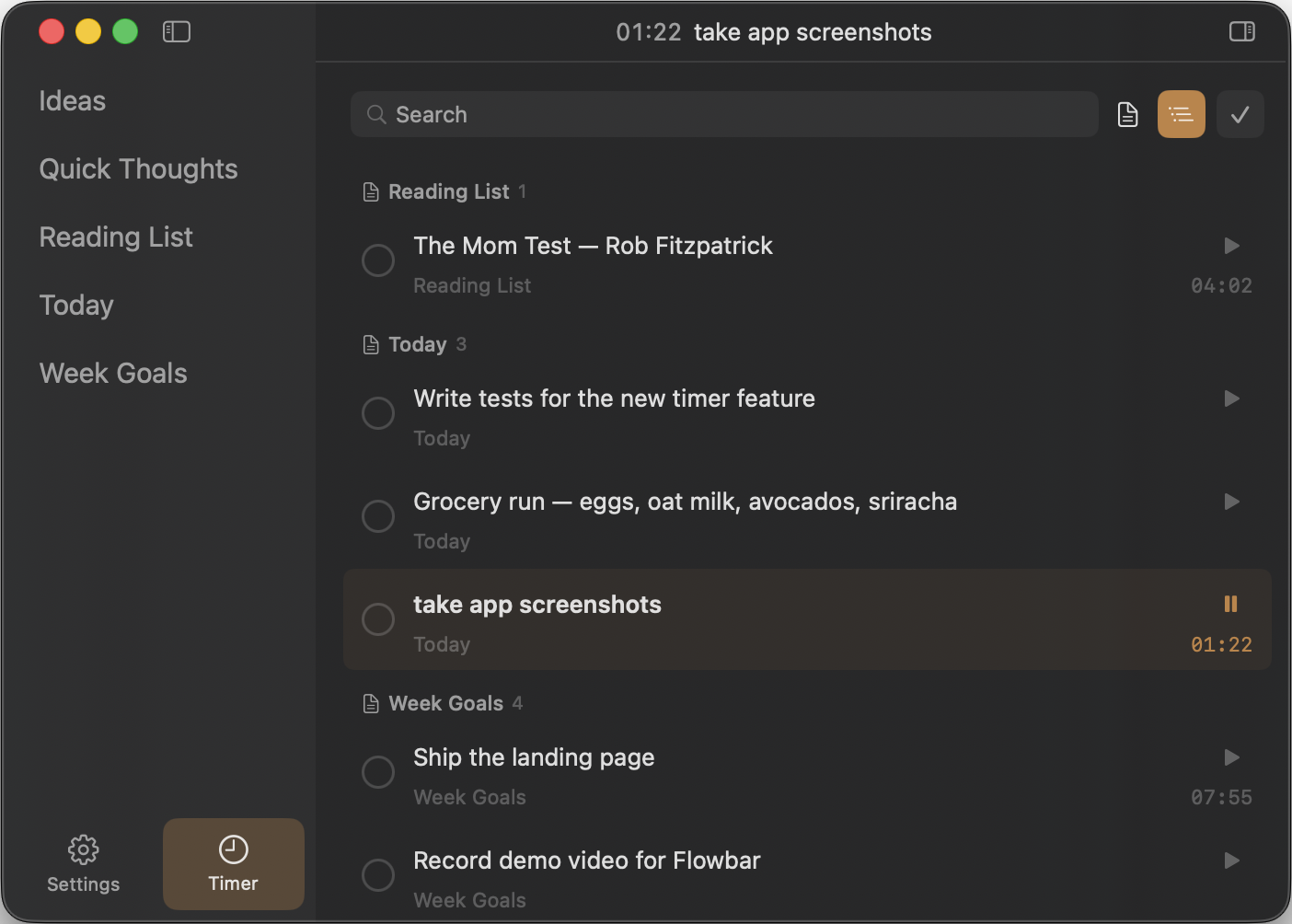
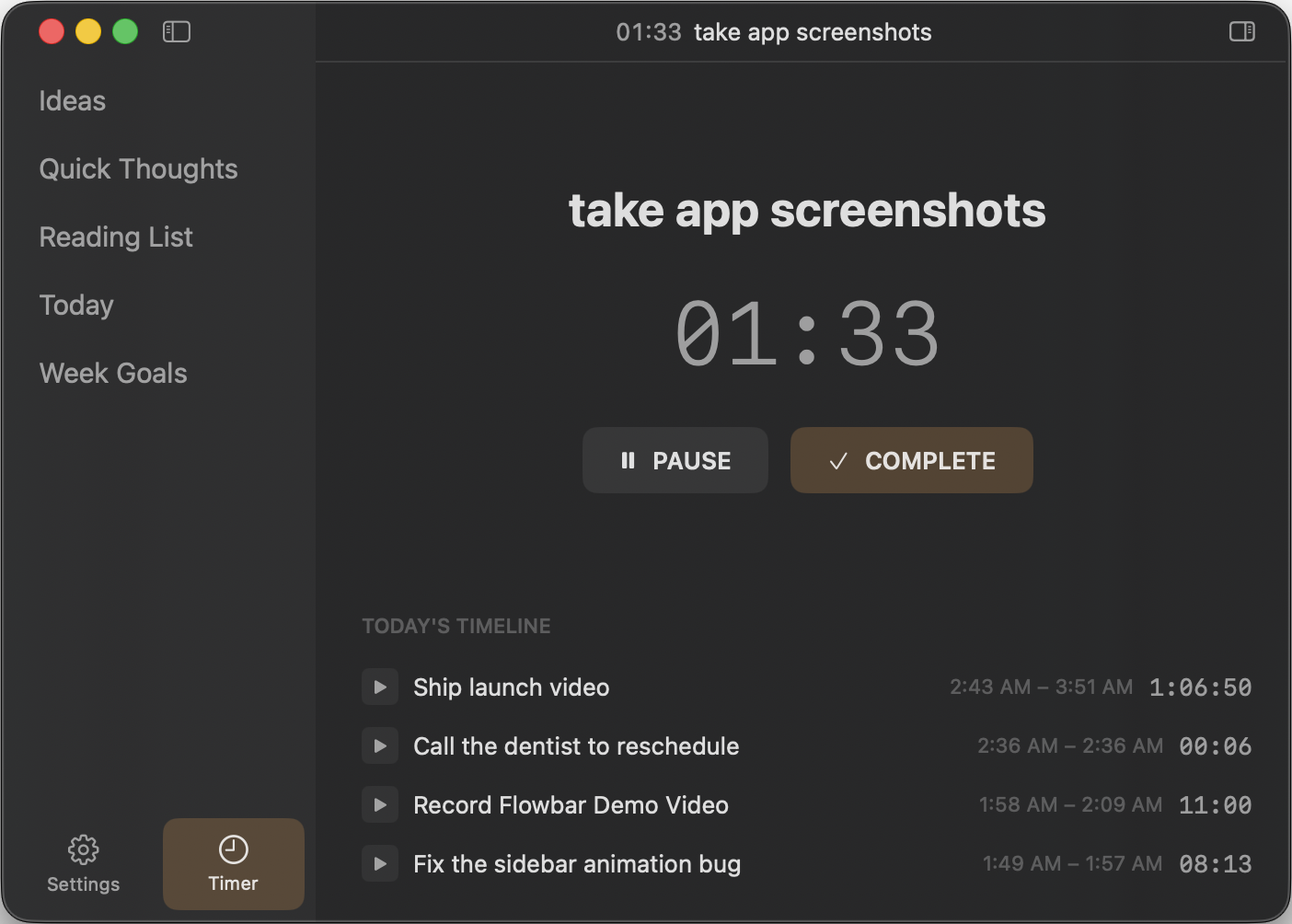
Flowbar is a native macOS menubar app for quick access to a folder of markdown notes and todos with integrated time tracking to help you focus.
Key Features
- Menu Bar Integration — Lives in your menu bar, always ready. Click the icon or double-tap
Fnto toggle the floating overlay from anywhere. - Menu Bar Timer — Active task name and elapsed time shown right in the menu bar so you always know what you're working on.
- Clean Minimal Interface — Well thought UX, built with taste.
- Floating Overlay Panel — Toggle the app overlay with double-tap Fn, or from the menubar (keyboard shortcut is configurable).
- Smart Editor — Auto-continues bullets, todos, and numbered lists on Enter; preserves indentation.
- Markdown Preview — Renders your checkboxes as todos, which can be toggled with ease.
- Todo List — Aggregated view of all todos across your markdown files with ability to check them off, which updates the source file.
- Timer & Timeline — Stopwatch to track time on any todo, with a timeline showing time spent on each task throughout the day.
- Quick Search — Hit ⌘K to search across all notes by filename and content.
- Works with Obsidian — Point it at a folder in your Obsidian vault for quick access without opening Obsidian.
- Completely Private — No account, no cloud. Everything stays on your Mac as plain markdown files.
- Personalization — Theme, color and font size customization.
Use Cases
Perfect for users who want a lightweight way to check and edit todos and notes without opening a full app like Obsidian. The floating overlay appears on top of whatever else you're doing, making it easy to quickly jot down thoughts or check off tasks.
Pricing
Free and open source.
Download
Grab the latest Flowbar.dmg from the Releases page.