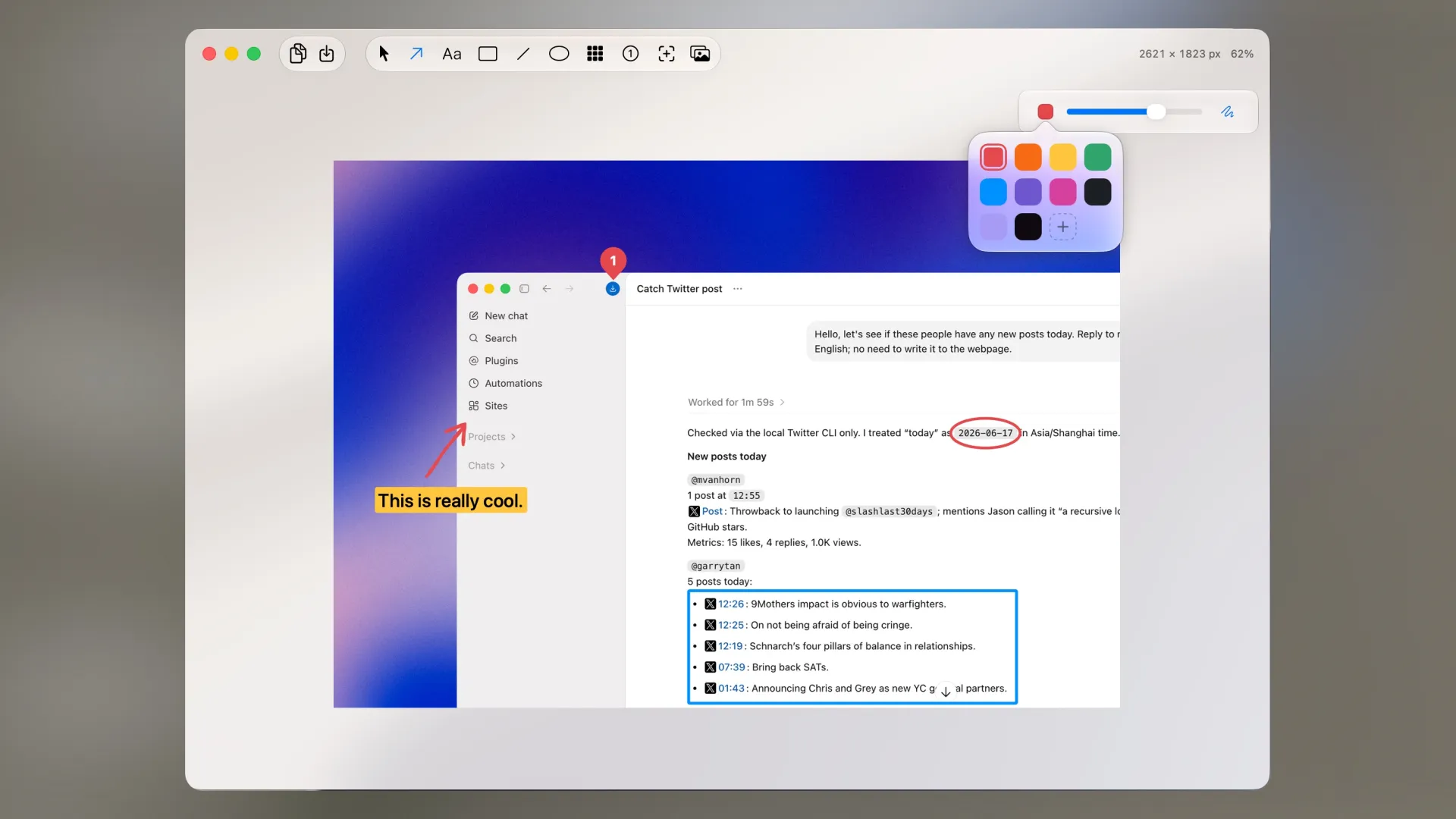
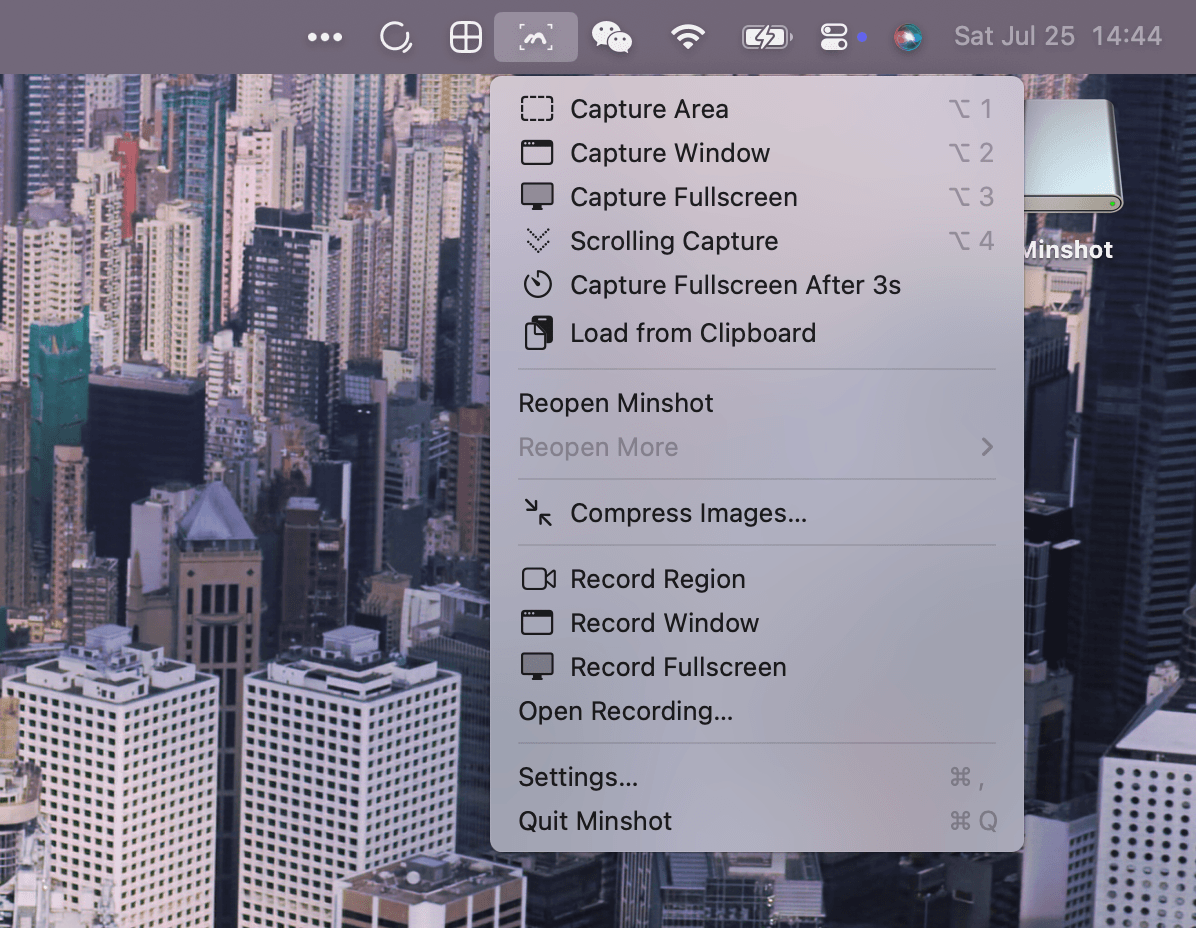
Minshot is a native macOS screenshot and screen recording tool that lives in your menu bar. It offers a clean, focused experience for capturing, annotating, and beautifying screenshots.
Key Features:
- Screenshots — Capture regions, windows, or the entire screen with customizable shortcuts (⌥1 / ⌥2 / ⌥3).
- Screen Recording — Record any region, window, or full screen. Add microphone audio and webcam overlay with virtual backgrounds.
- Annotation Tools — Arrows, text, boxes, ellipses, lines, blur effects, numbering, handwritten-style text, and a magnifier tool.
- Beautiful Backgrounds — Frame screenshots with solid colors, wallpapers, or device mockups (including iPhone 17 Pro).
- Image Stitching — Combine multiple screenshots into one image.
- Scrolling Screenshots — Capture long scrolling pages by selecting a region and scrolling.
- Recent History — Revisit and re-edit your last 10 screenshots with editing state preserved across restarts.
- Image Compression — Convert and compress images to WebP, JPEG, or PNG directly from the menu bar, including batch processing.
- Local Subtitles — Auto-generate subtitles from recordings entirely on-device, with editable text and timing.
- Video Editing — Crop, scale, change speed, add backgrounds, and annotate videos with a timeline-based editor.
Pricing:
- Free — All core features with a limit of 5 screenshots per day.
- Pro — $4.99 one-time purchase for unlimited screenshots, no upgrade reminders, and activation on up to 2 Macs.
Minshot is crafted by independent developer Zayn Hao and receives frequent updates with new features and refinements.