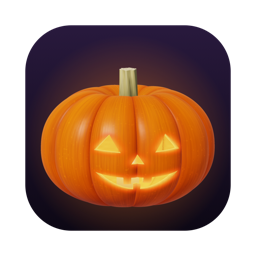
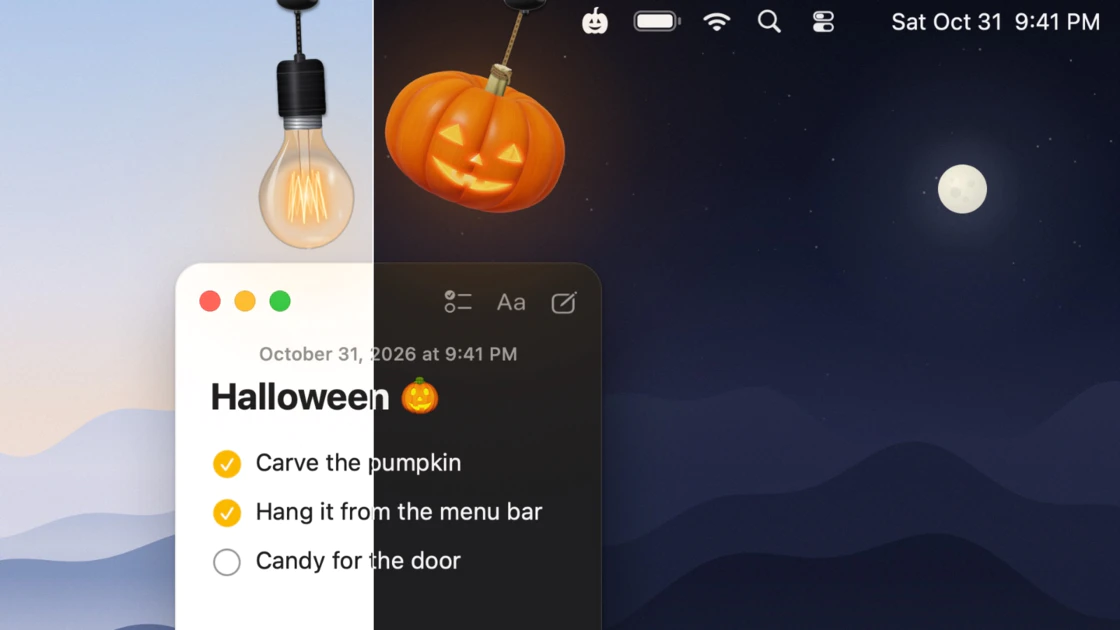
A jack-o'-lantern for your Mac's menu bar. Click it to light the candle — and your whole Mac goes dark.
Features
- Light switch: Light the pumpkin and your Mac switches to Dark Mode. Blow it out and it switches back. Pull the bulb's cord for Light Mode. Each lamp can do something else instead — keep your Mac awake, mute it, open an app, or run any Shortcut.
- Carved with care: The pumpkin is ray-traced as a real object: ribbed skin with a waxy sheen, a shell with actual thickness where the face is cut, and a candle inside whose light spills through the cuts. Every pumpkin is grown at random — no two are alike.
- Interactive physics: Lamps hang on real cords. Drag them and they swing and twist; tug one straight down and it clicks like a pull switch. It runs at a steady 120 frames a second, and side-to-side swinging never switches anything by accident. When you're not using it, a lamp tucks itself behind the top of the screen, leaving only a small canopy.
- Make it yours: Four pumpkin varieties, four faces, four flame colours. Fittings in matte black, brushed nickel, aged brass, copper, porcelain, walnut or oak. Five kinds of cord. A pull handle shaped like a ring, a toggle bar, a bell pull or an acorn.
Requirements
- Macs with Apple silicon
- macOS 14 Sonoma or later
Notes
- Free, with updates included.
- Featured on 9to5Mac's Indie App Spotlight.
- Inspired by Festivitas by Simon B. Støvring.
- Made by Boyucheng Zhang.