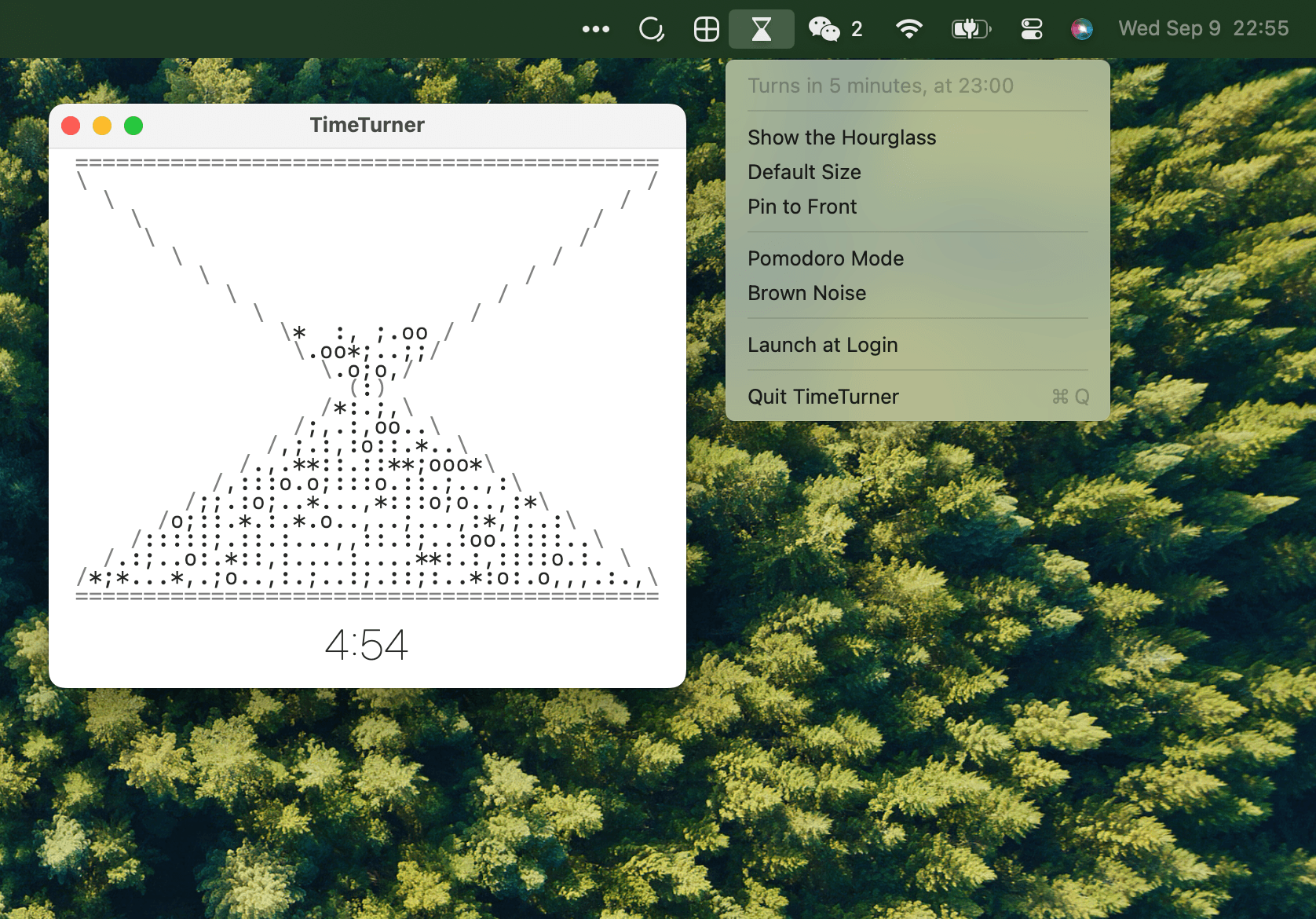
TimeTurner is a menu bar hourglass for macOS, drawn entirely from keyboard characters. The frame is built from =, /, \, (, and ), while the sand uses ., :, ;, ,, *, and o. Every grain is real — a falling-sand simulation drops them through the neck one at a time on the actual clock, so the top bulb takes the full hour to empty.
Two Views of the Hour
- The menu bar glass — A tiny hourglass that visibly drains across the hour and does a smooth 180-degree turn at the top of it. Click it to see how long until the next turn, toggle Launch at Login, and open the window.
- The glass window — Resizable; the glass reshapes itself to fit, and the sand physically tumbles into the new shape rather than teleporting. A thin countdown under the glass shows how much of the hour is left. Close it and the menu bar keeps the time alone.
Pomodoro, With No Start Button
Turn on Pomodoro Mode and the hour becomes the classic grid: 25 minutes of work, 5 of break, twice per hour, turning at :00, :25, :30 and :55. Because 25 + 5 + 25 + 5 is exactly 60, the grid anchors to the clock like everything else. It runs whether you are at your desk or not, and everyone running TimeTurner anywhere on earth is in the same slot right now. There is no timer to set, no state to lose, nothing to forget to start — you join the pomodoro already in progress.
Work runs the usual sand. Breaks run different sand, wavy ~ and - grains, with a dimmed countdown and a lighter menu bar glass, so one glance says which side of the cycle the world is on.
Brown Noise
Brown Noise in the menu plays a low, even rumble, generated live sample by sample — no audio files. It follows the hour like everything else, running full while the work sand falls and dropping to a whisper during breaks, so you can hear which side of the pomodoro you are on with your eyes closed.
Minimal by Design
No dock icon, no settings beyond Launch at Login, Pomodoro Mode, Brown Noise, and Pin to Front (which floats the glass above every other window while you work). About 900 lines of Swift, no dependencies. Builds with the Xcode Command Line Tools alone.