BriefBar keeps your Azure DevOps pull requests and GitHub Copilot sessions in your Mac's menu bar, with live counts of what needs you. Its AI reads your work for you: where each pull request, story and Copilot session stands, what's next, and who it's waiting on. When something needs fixing, BriefBar hands the next step to Copilot with the context already filled in.
Free and open source. No account and no telemetry.
Lives in your menu bar
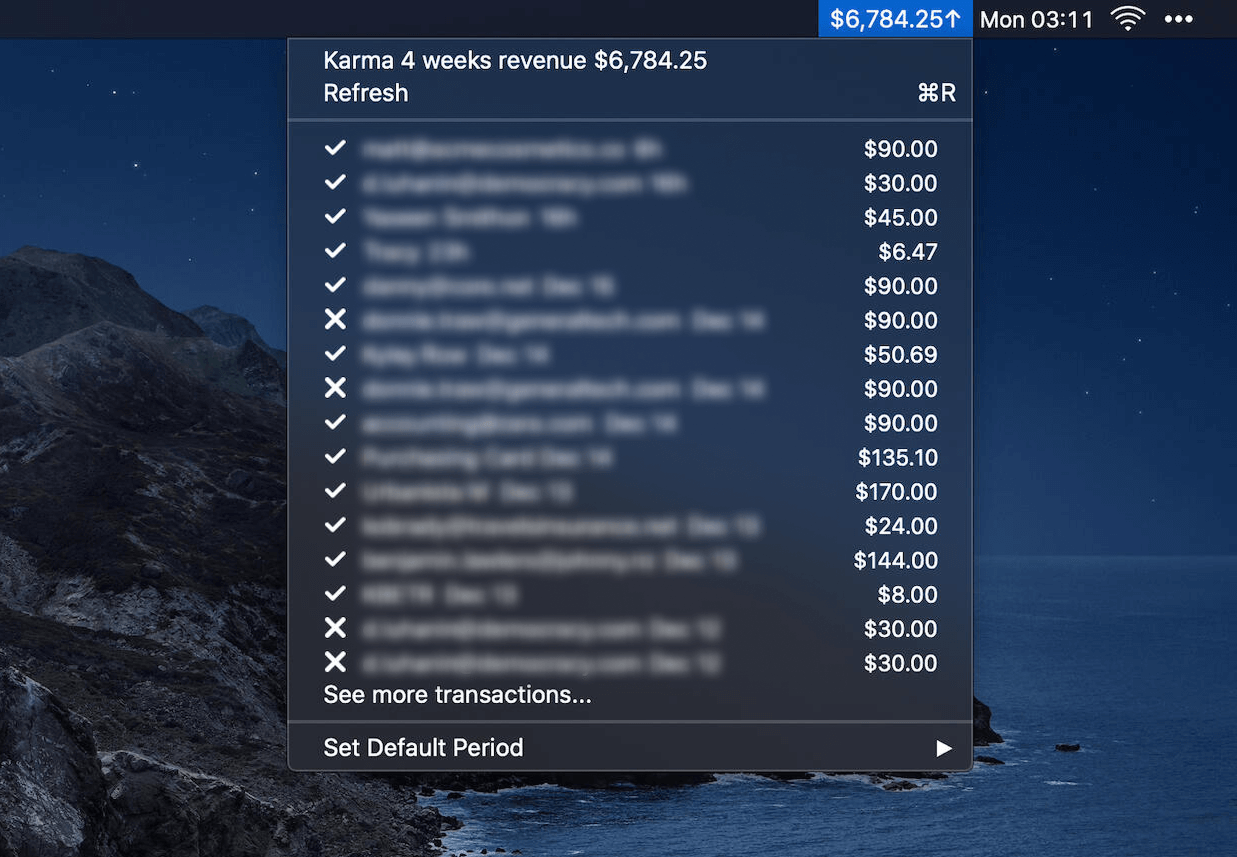
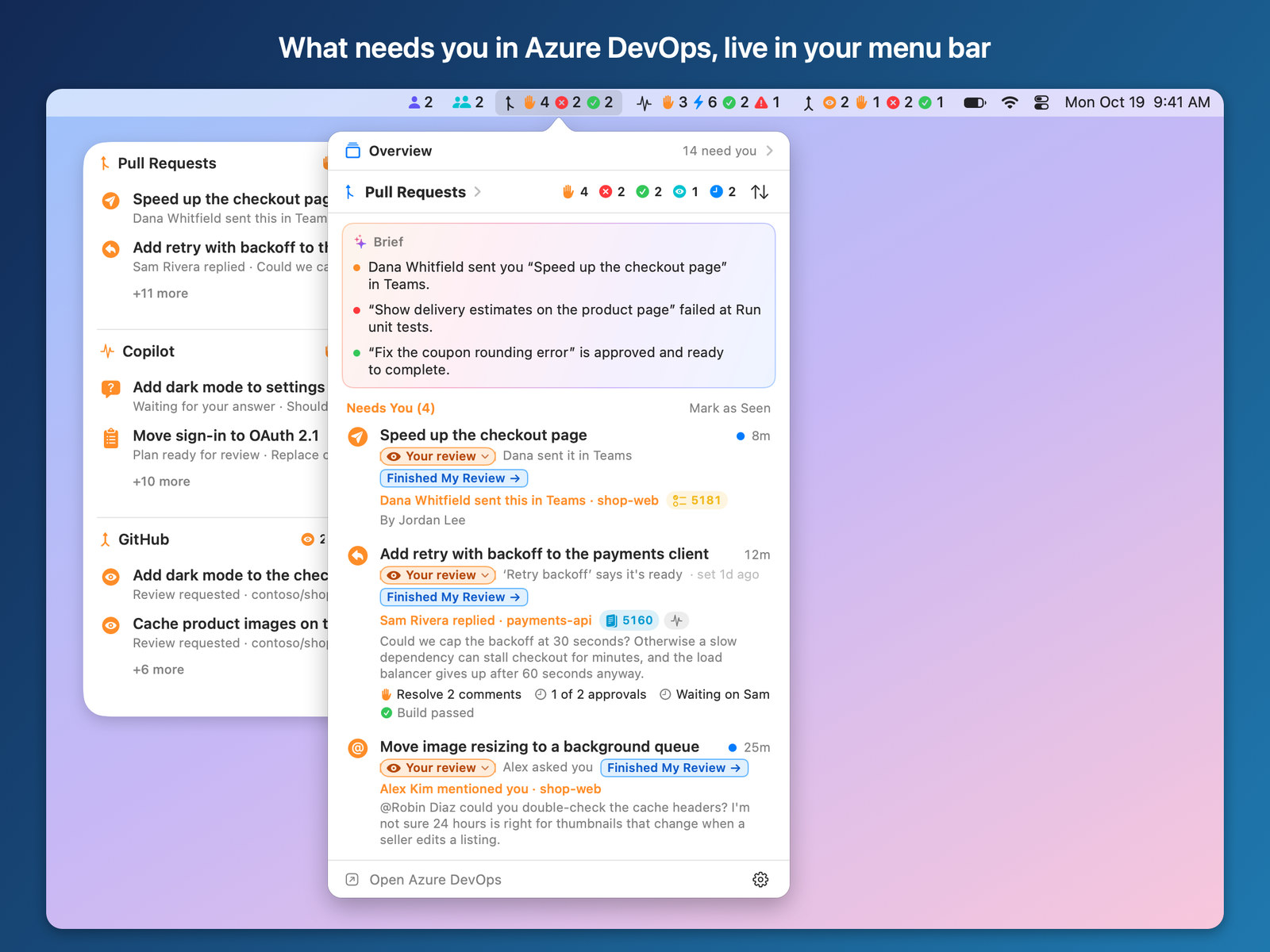
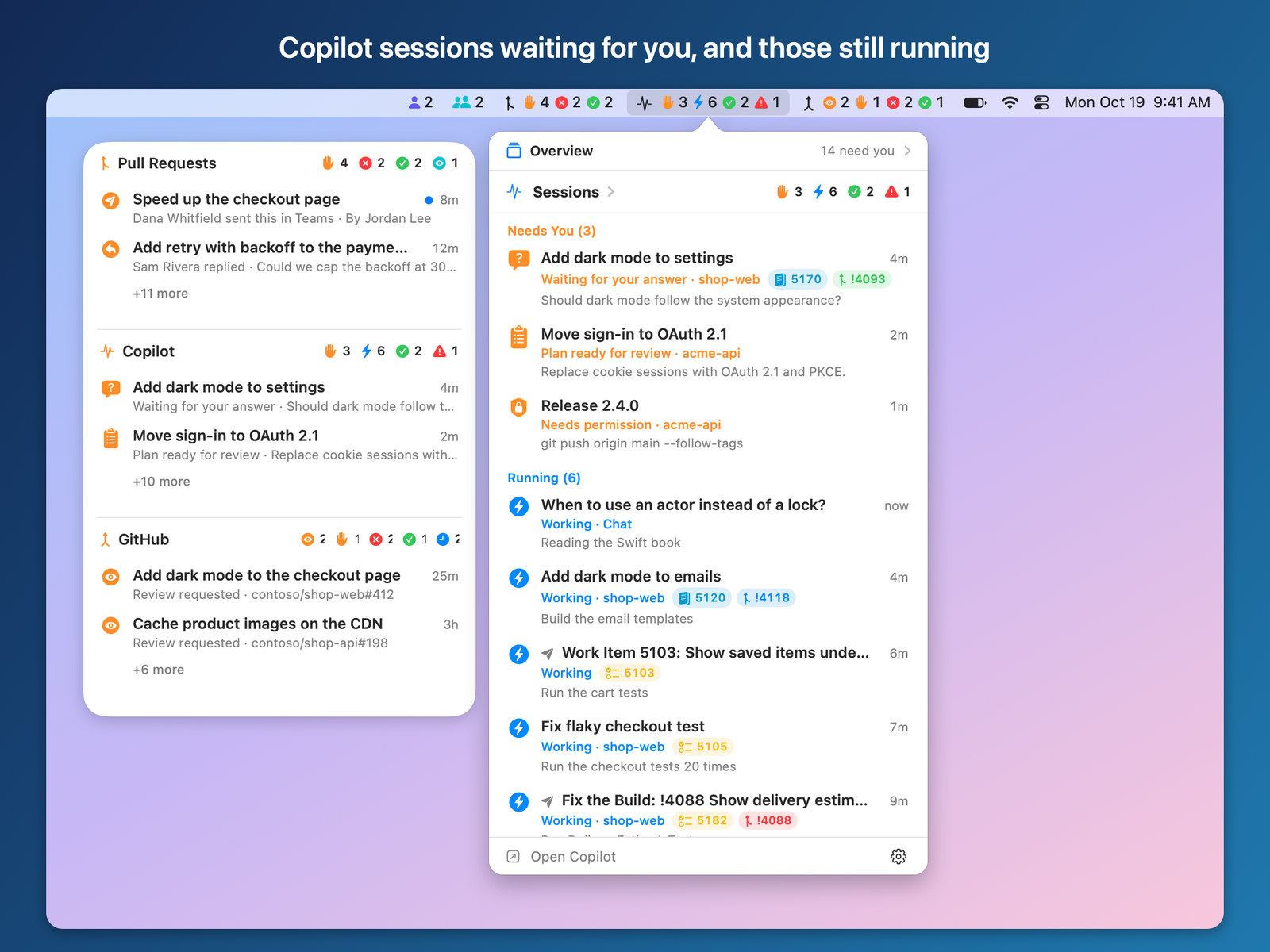
- Live counts. Each source gets its own menu bar item: pull requests waiting for your review or reply, yours that failed or are ready to complete, and Copilot sessions waiting for your answer, running, done or stopped.
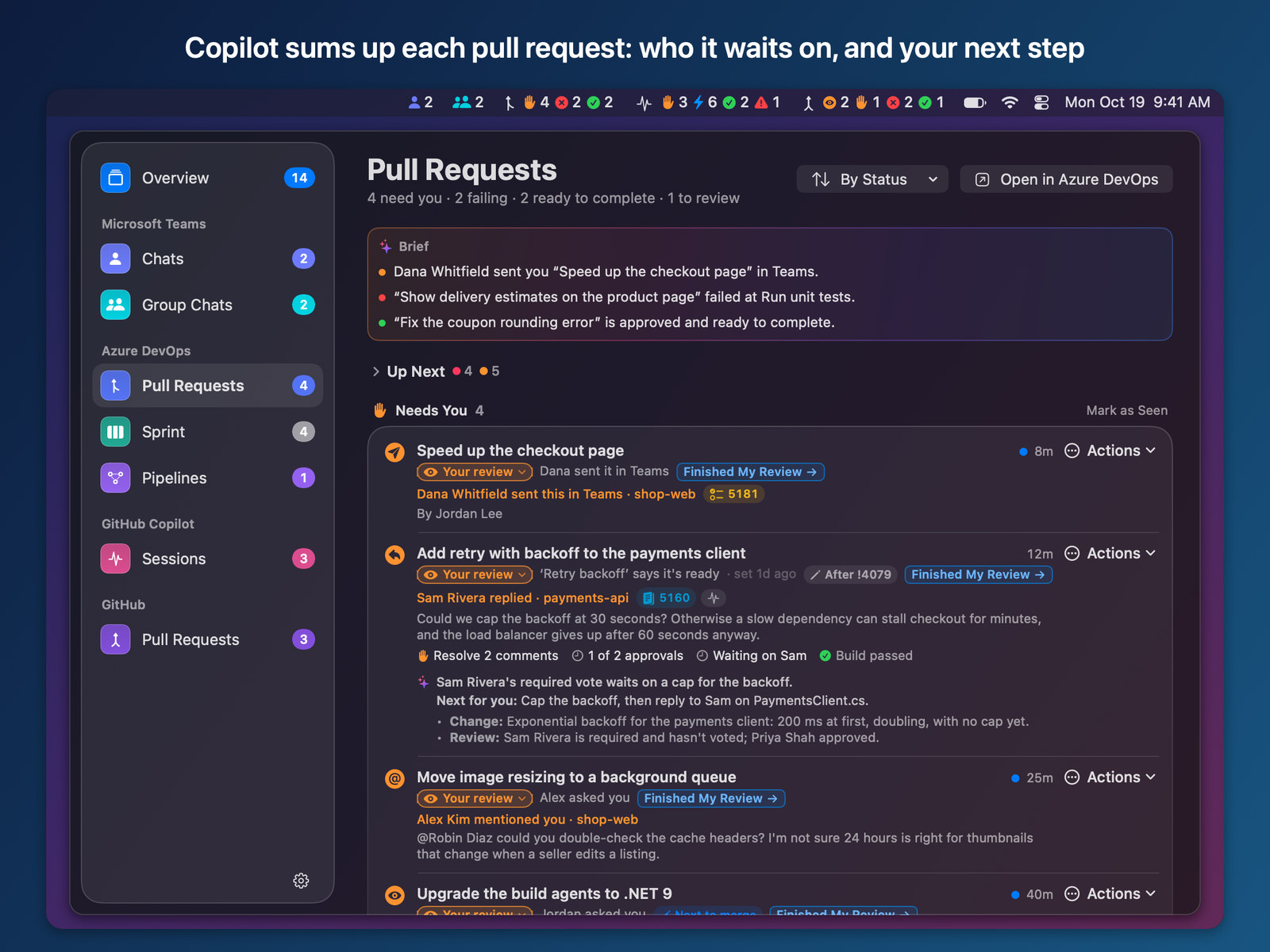
- One click for the list. Click an item to see what needs you, each row saying why. Your pull requests' list starts with a brief: what needs you, what failed and what's ready to complete.
- Notifications that act. When your build fails, someone comments or your pull request conflicts, the notification offers Fix with Copilot….
- Your layout. Give each source its own item, or put them together in one, with counts added up by state. A desktop widget and a window are there for when you want more room.
AI summaries of your Azure DevOps work
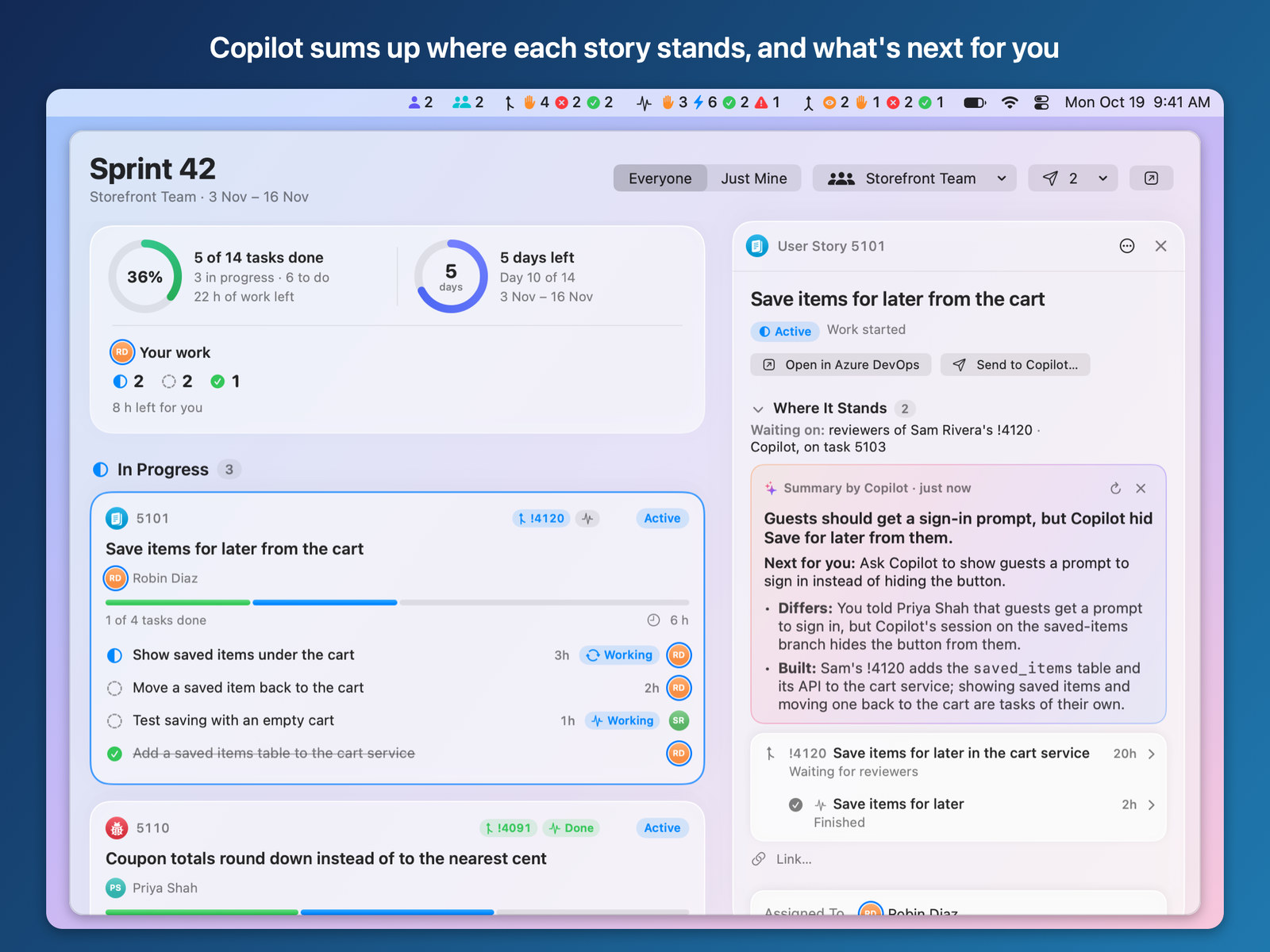
- Where a story stands. Open a story and BriefBar's AI reads it and everything linked to it: its tasks, pull requests and their comment threads, builds, and what each Copilot session was asked and answered. You get a headline, the next step and whose it is, and what's done, left or blocking.
- Pull requests and sessions too. Click ✨ for the same summary right under their row.
- Explain the Failure. A failed build gets ✨ Explain the Failure.
- Your choice of model. Summaries go through your signed-in Copilot CLI, Claude Haiku by default with one Copilot request each, or any model up to Claude Opus. Or choose Apple Intelligence to keep them on your Mac. Summarizing gets no tools, so it can't change anything.
Hand the next step to Copilot
- Fix a pull request. Fix Comments, Fix the Build, Resolve Conflicts or Pre-review, or fix a single comment. Review or edit the prompt, then choose the session and the model.
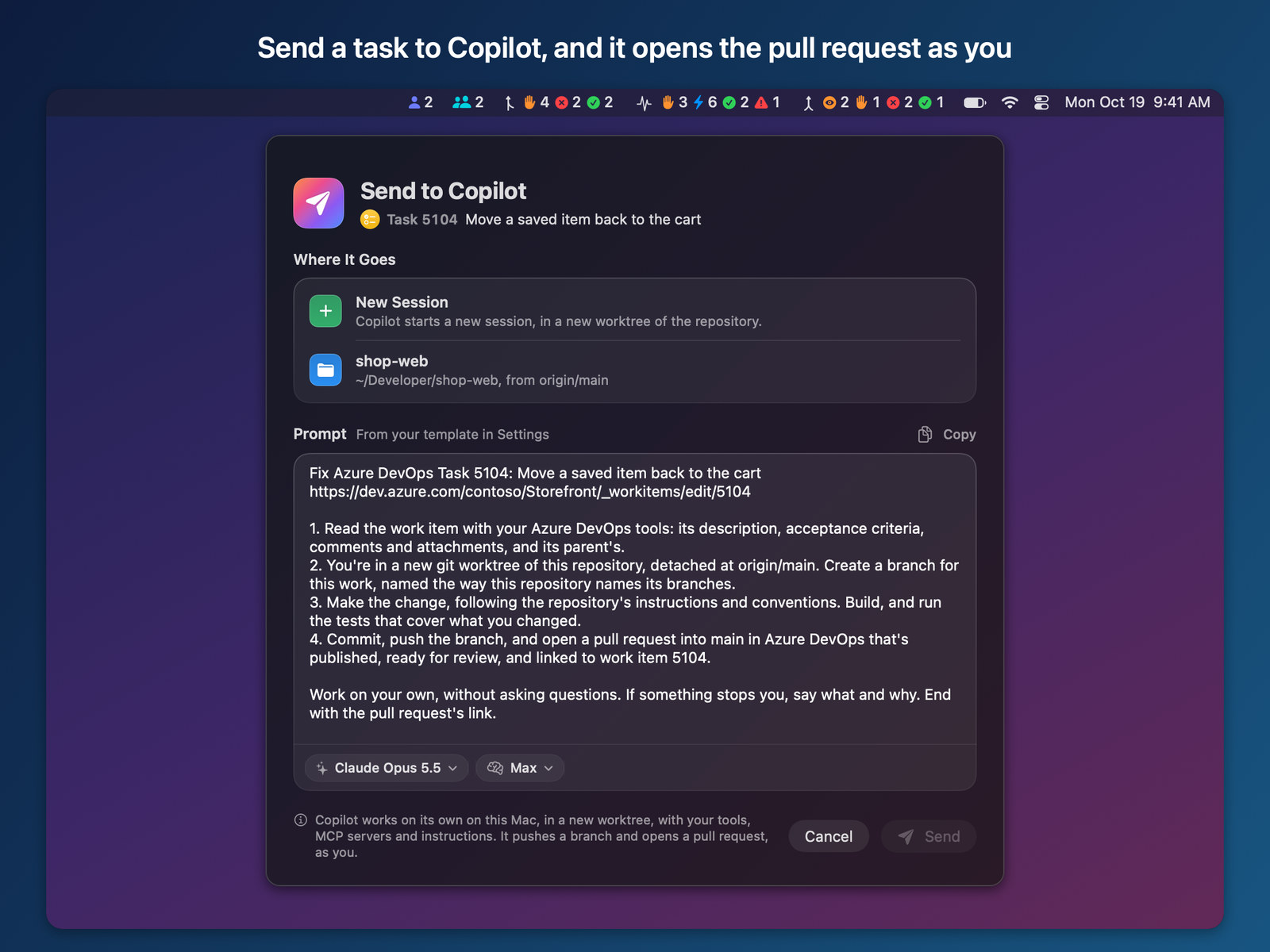
- Send a task. Send a task from your sprint: Copilot works in its own worktree, pushes a branch and opens the pull request as you.
- Ask a session where it stands, or why it changed something, without changing anything in it.
- Push & Reply commits and pushes what the session changed and replies on the threads it fixed, as you. Nothing is pushed unless you ask.
- Copilot runs on your Mac through the Copilot CLI, with your own tools, MCP servers and skills.
Know what's next
- Turn on Pull Request Order and each pull request gets a stage: In progress, Your review, Teammate's review, Approved, Can merge, Waits for another PR or Merged.
- Up Next picks the pull request to fix next and your next review, and a Board shows every pull request in its stage's column. Stages are BriefBar's own: nothing changes in Azure DevOps.
Also in BriefBar
- GitHub pull requests that need you, for every account the GitHub CLI is signed in to.
- Your team's sprint and the pipelines you pin.
- Unread Microsoft Teams chats, optional, with summaries on your Mac.
- An opt-in MCP server and a Copilot plugin (
/briefbar), so your agents can ask what needs you.
Private by default
- Every source starts off and says what it reads before you turn it on.
- Read-only unless you turn on Make Changes in Azure DevOps (replies, thread status, your own comments, tags, and moving a task of yours to the current or next sprint), and even then only when you click.
- Azure DevOps and GitHub use your existing
az loginandgh auth login. No personal access tokens. - Nothing from Teams goes to Copilot.
Requirements
- macOS 26 or later, on Apple silicon.
- Azure DevOps Services (dev.azure.com) with the Azure CLI. The GitHub CLI for GitHub. The Copilot CLI for Copilot summaries and fixes; without it, summaries use Apple Intelligence.
Install
brew install --cask mnsn/tap/briefbar
Or download BriefBar.zip from the latest release. BriefBar isn't notarized yet, so the first time you open it, choose Open Anyway in System Settings › Privacy & Security. After that it updates itself, and every update is signed.
BriefBar is an independent project, not affiliated with or endorsed by Microsoft or GitHub.