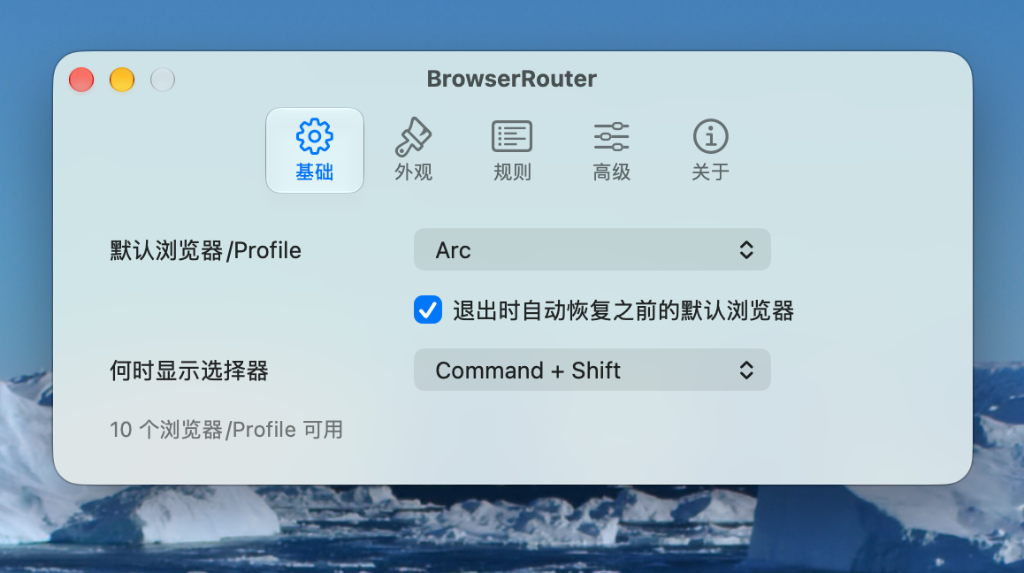
BrowserRouter is a native Swift/AppKit menu bar app that routes external http and https links to the browser or Chromium profile you choose.
It is built for people who keep separate browsers or profiles for work, personal browsing, testing, client accounts, OAuth flows, and app-launched links.
Features
- Native Swift/AppKit menu bar app
- First-run onboarding for setting BrowserRouter as the macOS default browser
- Default browser/profile fallback when no rule matches
- Keyboard-triggered chooser for picking a browser per link
- Configurable chooser shortcut (Command + Shift, Option + Shift, Control + Shift, Command + Option, always show, or custom)
- Routing rules for host suffix, host contains, path prefix, URL contains, and source application bundle ID
- Chromium profile discovery for Google Chrome, Chrome Canary, Microsoft Edge, Brave, and Vivaldi
- Firefox profile discovery from
profiles.ini - Native menu chooser for detected browsers or profiles
- Browser/profile visibility and ordering controls
- Optional Dock icon and menu bar icon
- Headless helper mode when both icons are hidden
- Restore previous default browser action and optional auto-restore on quit
- Local-only configuration
How It Works
BrowserRouter registers itself as the macOS handler for http and https. When another app opens a web link, macOS sends that URL to BrowserRouter, which then chooses where to forward the link based on routing rules, chooser shortcuts, or the configured default browser/profile.