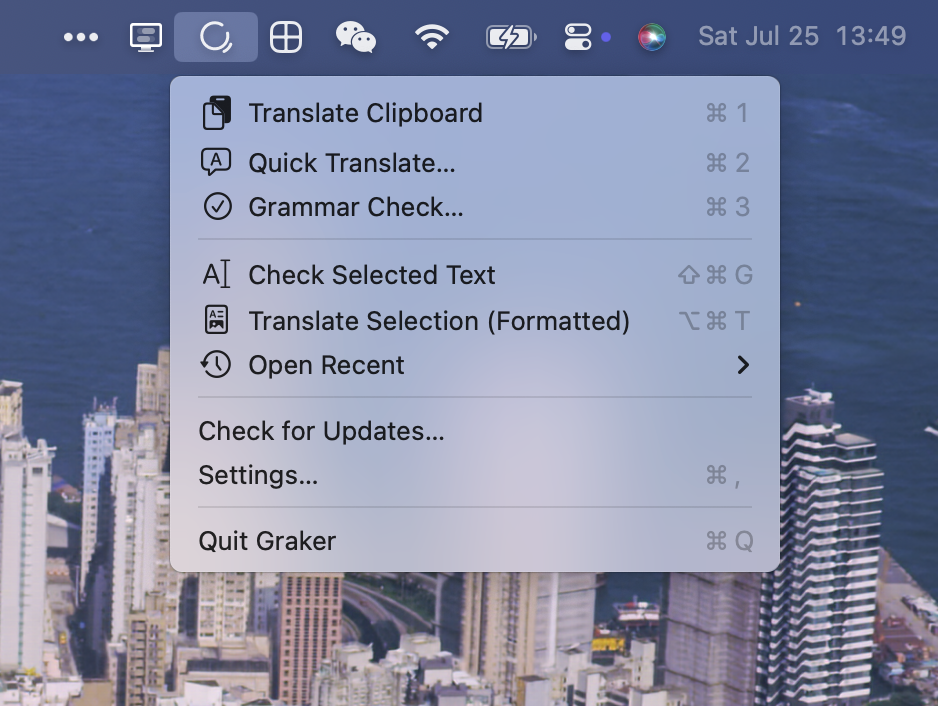
Graker lives in your menu bar and helps you write better English. Select any sentence and press ⇧⌘G — it fixes your grammar, explains why, and preserves your tone.
Features:
- Grammar Checking — Fixes errors while keeping your writing style intact. Shows exactly what changed and why.
- Translation — Copy anything and press ⌘1 for instant translation with automatic Chinese/English direction detection.
- Format Preservation — Translates rich text emails and Markdown without losing links, images, or formatting.
- Continuous Refinement — Not satisfied with the result? Add follow-up instructions like "more formal" and it builds on the previous output.
- Bring Your Own Key — Use your own Gemini, DeepSeek, MiMo, or any OpenAI-compatible API key. Keys are stored in Keychain, and text goes directly to the provider — no intermediary servers.
Shortcuts (all customizable):
- ⌘1 — Translate clipboard
- ⌘2 — Open quick translate
- ⌘3 — Open grammar check
- ⇧⌘G — Check selected text
- ⌥⌘T — Translate selection with format preserved
Free · macOS 13+ · Apple Silicon & Intel