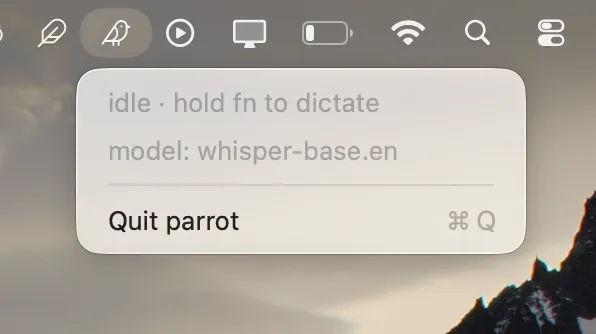
parrot is a minimal macOS dictation daemon that lives in your menu bar. Hold the Fn key, speak, release — and the transcript appears instantly at your cursor.
Key Features
- Push-to-talk dictation — Hold
Fnto record, release to transcribe. No buttons to click, no app to switch to. - On-device transcription — Powered by WhisperKit running on the Apple Neural Engine via CoreML. No network calls, no cloud APIs — your audio never leaves the machine.
- Menu bar native — Runs as an accessory app with no dock icon. The menu bar item shows recording state at a glance and provides the only persistent control surface.
- Pluggable models — whisper-base.en by default; switch to whisper-large-v3-turbo for multilingual support.
- Minimal feedback — A small floating pill at the bottom of the screen shows when the mic is hot. Disable it with
--no-overlayif you prefer absolute minimalism. - Customizable hotkey — Change the push-to-talk key from
Fntoright-optionor another key.
CLI
parrot                                 # run in the foreground
parrot setup                           # one-time setup: permissions + model download
parrot install --launch-at-login       # register a LaunchAgent (background daemon)
parrot install --uninstall             # remove the LaunchAgent
parrot doctor                          # check permissions + fn key setting
parrot models list                     # list available models
parrot models download <id>            # pre-download a model
parrot --model whisper-large-v3-turbo  # bigger, multilingual, slower first-run
parrot --hotkey right-option           # change the push-to-talk key
parrot --no-overlay                    # disable the bottom-of-screen pill
Requirements
- macOS 14+ on Apple Silicon (M1 or newer)
- Transcription runs on the Apple Neural Engine — Intel Macs are not supported
parrot is free, open source, and ships as a single binary with no sidecar processes or HTTP servers.