QuickRight is a Finder right-click menu enhancement tool for macOS, designed to complement the native right-click functionality and make file management more efficient.
Key Features:
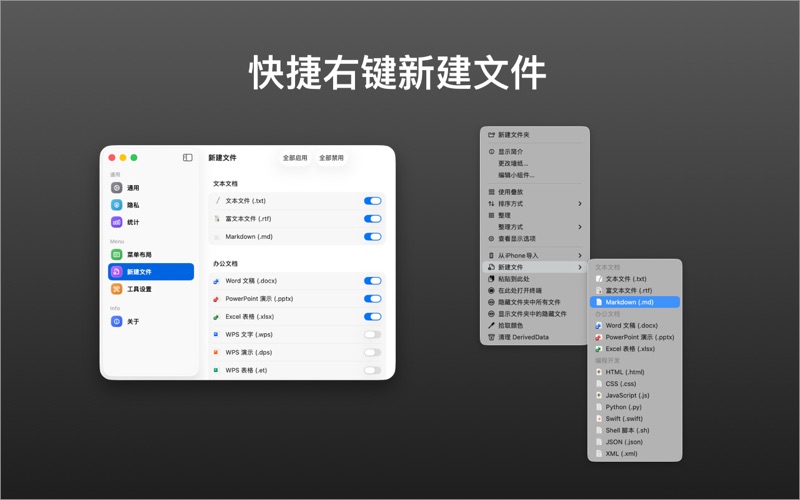
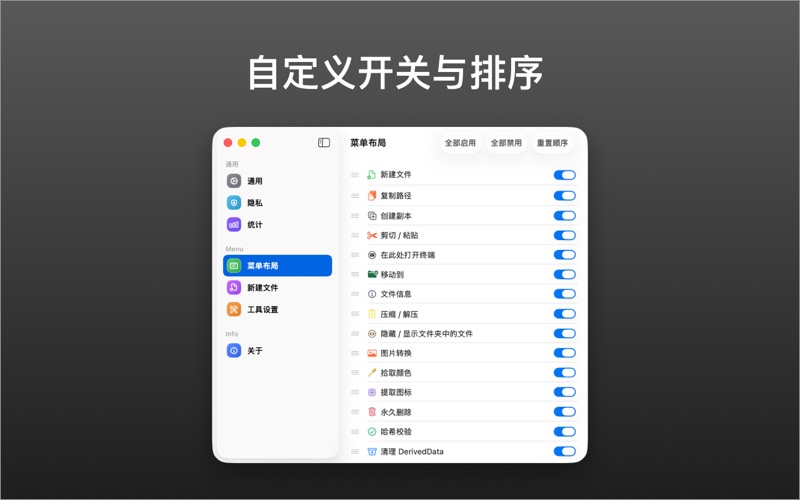
- Quick File Creation: Create new files (TXT, Markdown, Word, Excel, Pages, etc.) directly in the current directory with custom templates
- Copy File Path: One-click copy of absolute paths for files or folders
- Cut & Paste: Cut and paste files with automatic move operation
- Open in Terminal: Quickly open current directory in Terminal, iTerm2, or Warp
- Quick Move: Move files to preset favorite directories
- Show/Hide Files: Toggle visibility of hidden files in Finder
- Extract Icons: Quickly extract file icons
- Custom Directories: Set up custom favorite directories
- Permanent Delete: Delete files permanently without going to Trash
- File Hash: Calculate MD5, CRC32, SHA-1, SHA-256, SHA-512 hashes
- Color Extraction: Extract dominant colors from images
- File Info: Quick file information view
- Image Conversion: Convert images to JPEG, GIF, TIFF, and SVG formats
- Image Compression: One-click image compression
- Archive: Quick unzip/zip operations
Menu Bar App: The app runs purely as a menu bar tool, no Dock icon, providing quick access to all features from the menu bar.