
TypoTab is a macOS menu bar application that promises to help users "write 10x faster" by providing AI-powered writing assistance across all applications. The tool positions itself as an instant AI companion that transforms text into compelling, error-free writing without disrupting your workflow.
Key Features
Universal Compatibility: TypoTab works seamlessly across all popular applications including Google Docs, Microsoft Word, Gmail, Slack, Notion, WhatsApp, Discord, and many others. This universal compatibility means users don't need to switch between different tools or applications to access AI writing assistance.
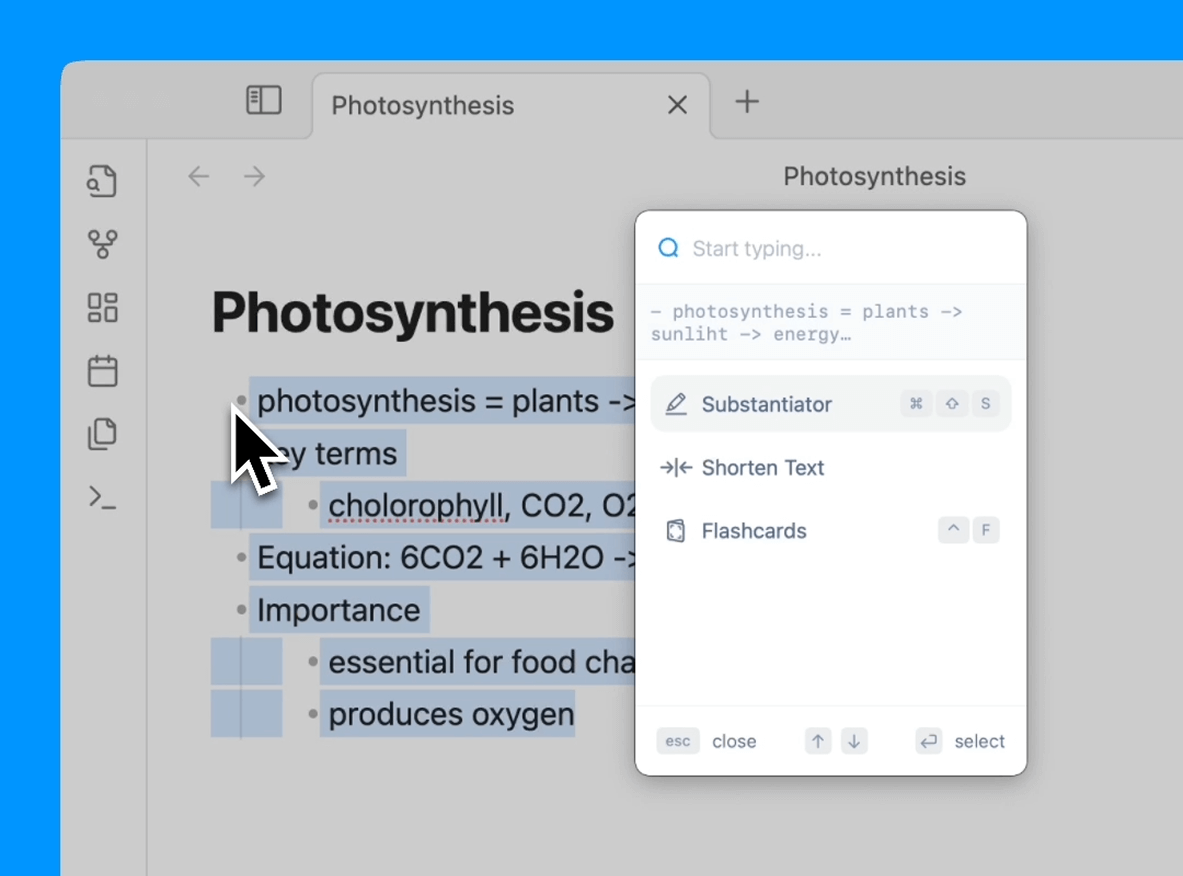
Keyboard Shortcut Access: The application provides quick access to AI-powered writing tools through customizable keyboard shortcuts, allowing users to enhance their text without breaking their flow. Users can access various functions like grammar fixing, text shortening, rephrasing, and essay writing through simple key combinations.
Menu Bar Integration: TypoTab operates as a discrete menu bar tool that stays hidden until needed, avoiding interface clutter while remaining instantly accessible. This design philosophy ensures the tool doesn't interfere with the user's existing workflow.
Customizable Actions: Users can customize actions to fit their specific needs, whether they're crafting code, writing cold emails, studying, or working on proposals. The tool offers various pre-built functions and allows for personalization based on individual requirements.
Use Cases
TypoTab targets several specific workflows:
- Academic Work: Transforming raw notes into structured, ready-to-use content for studying
- Professional Communication: Generating polished proposal introductions and business correspondence
- Development: Streamlining code-related writing tasks
- General Writing: Improving grammar, clarity, and overall text quality across any application