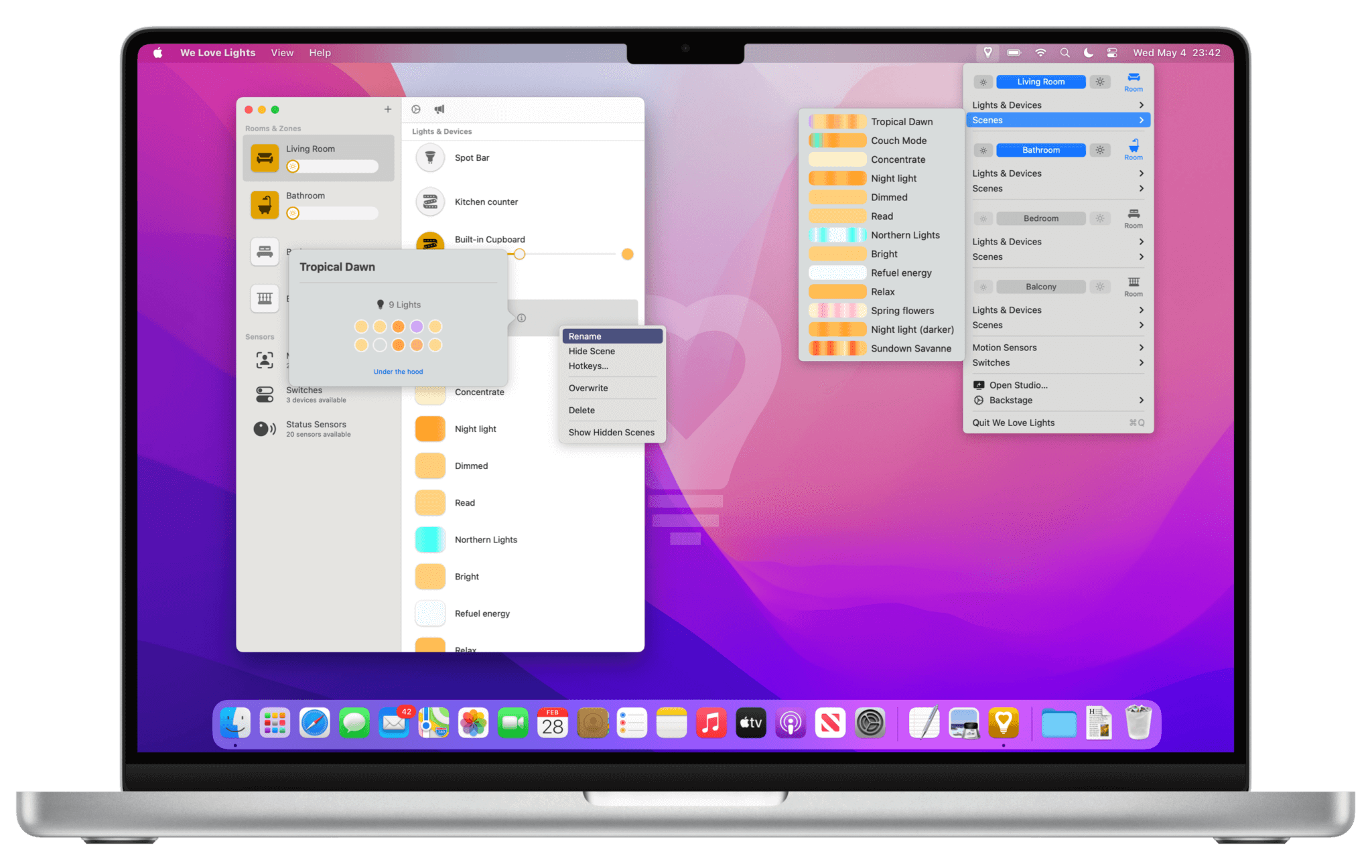
The easiest yet most powerful way to control your Philips Hue lights and devices with your Mac. For Day-to-Day. For Pros.
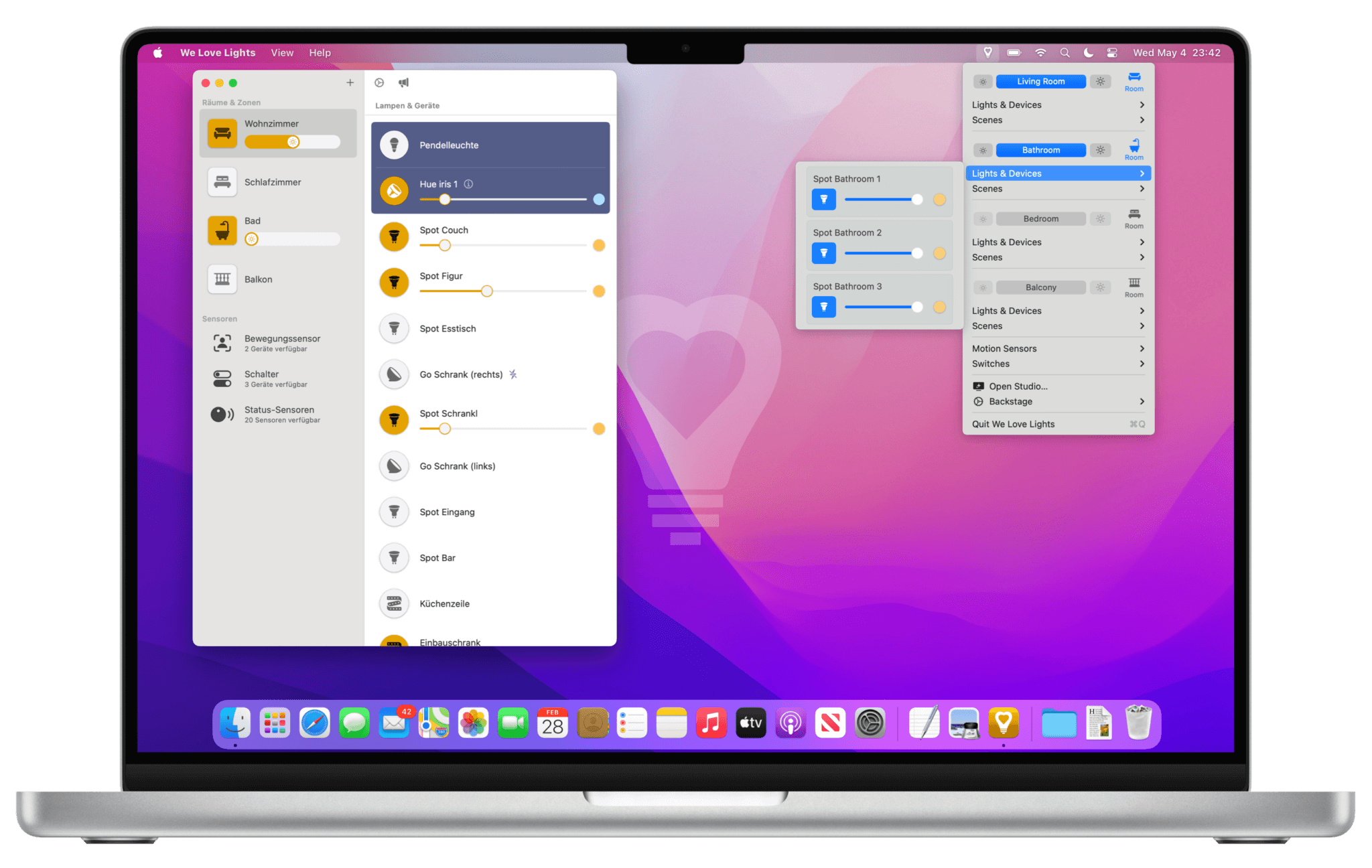
The app integrates seamlessly into the menu bar, from where you can easily manage and control all your lights and other devices. We Love Lights Studio provides you access to pro features for a much better control experience. New rooms, zones, lights, smart plugs, motion sensors, switches and status items can be added, renamed, rearranged, customized or hidden when not needed. All these functions work with Philips Hue Bridges (no Bluetooth support yet) and Phoscon deCONZ Bridges (e.g. Conbee). You can connect to multiple bridges, even remotely when you are not at home.
All functions at a glance:
- Beautiful and intuitive user interface, available in two views: Menu in the menubar & Studio window
- Create, delete or simply recall rooms/zones, lights, smart plugs, scenes, motion sensors and switches
- Dim or switch rooms and zones
- Adjust color, saturation, and brightness (depending on light type) for all your lights using multiple color pickers
- Define or change rules and configurations for motion sensors and switches
- Hide unneeded groups and devices
- Re-sort groups and devices
- Automatically syncs with the Philips Hue mobile app
- Support for global hotkeys
- Support for Shortcut App for automations
- Multi-Bridge support: Control multiple Philips Hue Bridges or Phoscon deCONZ Bridges simultaneously
- Remote access: Use your Philips Hue bridge even when you are not at home