EdgeBar turns the edges of your MacBook trackpad into intuitive volume and brightness controls.
Features
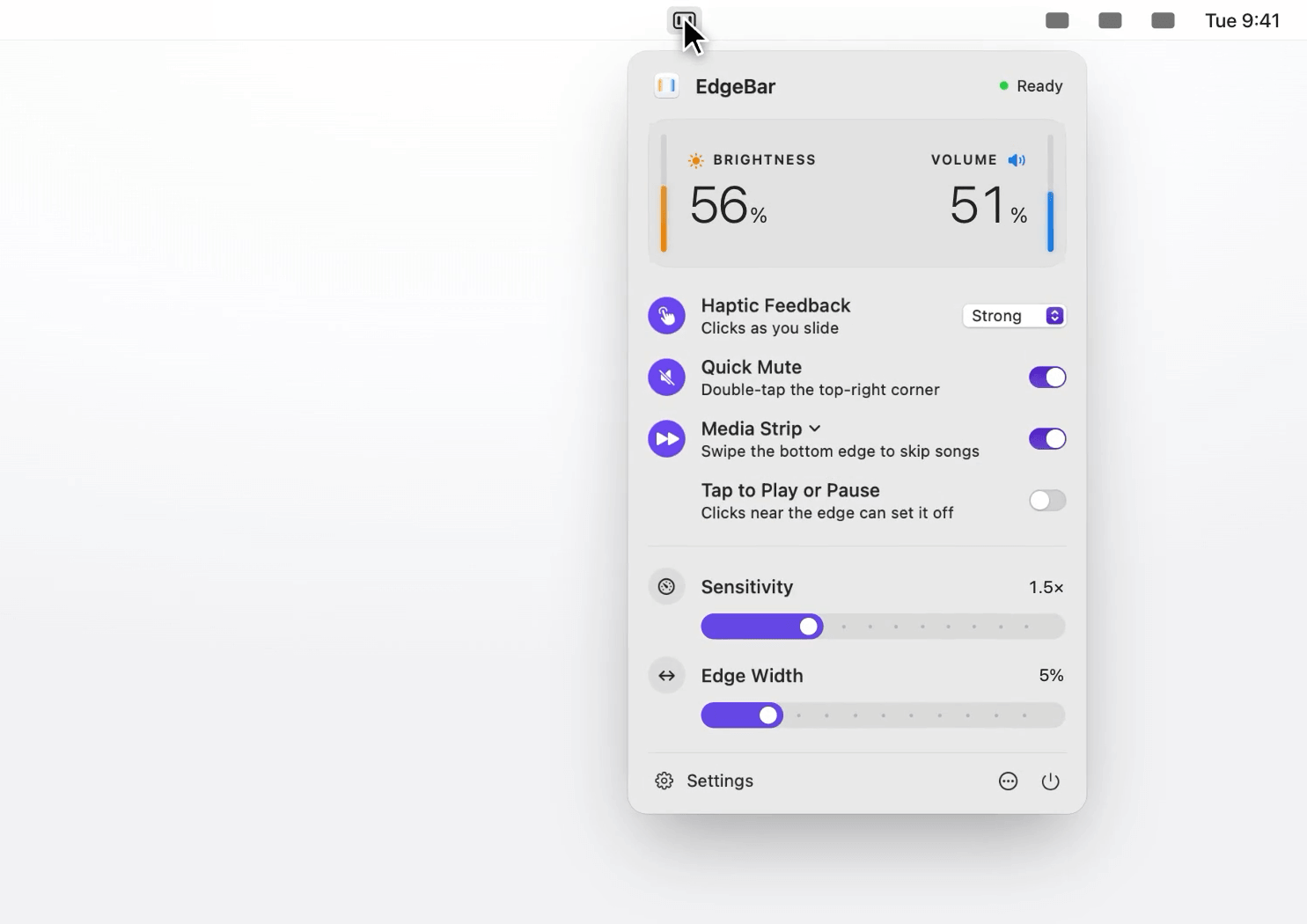
- Volume on the right, brightness on the left — Slide along the trackpad edges to adjust with the same on-screen display you get from keyboard keys
- Quick Mute — Double-tap the top-right corner to instantly mute
- Media Strip — Swipe the bottom edge to skip tracks, tap to play/pause
- Haptic Feedback — A light tick under your finger as you slide
- Fine Control — Hold Shift-Option for quarter steps, or enable Precise Sliding to do it without holding keys
- Cursor Freeze — Your pointer stays put while you slide
- Active Area — Choose whether slides start anywhere along the edge or only in the bottom half or quarter
- Swap Sides — Brightness on the right, if you prefer
- Menu bar only — No Dock icon, almost no CPU usage
Pricing
$9 one-time purchase (normally $14). Lifetime license with free 1.x updates. No subscription. Requires macOS 13 Ventura or later.