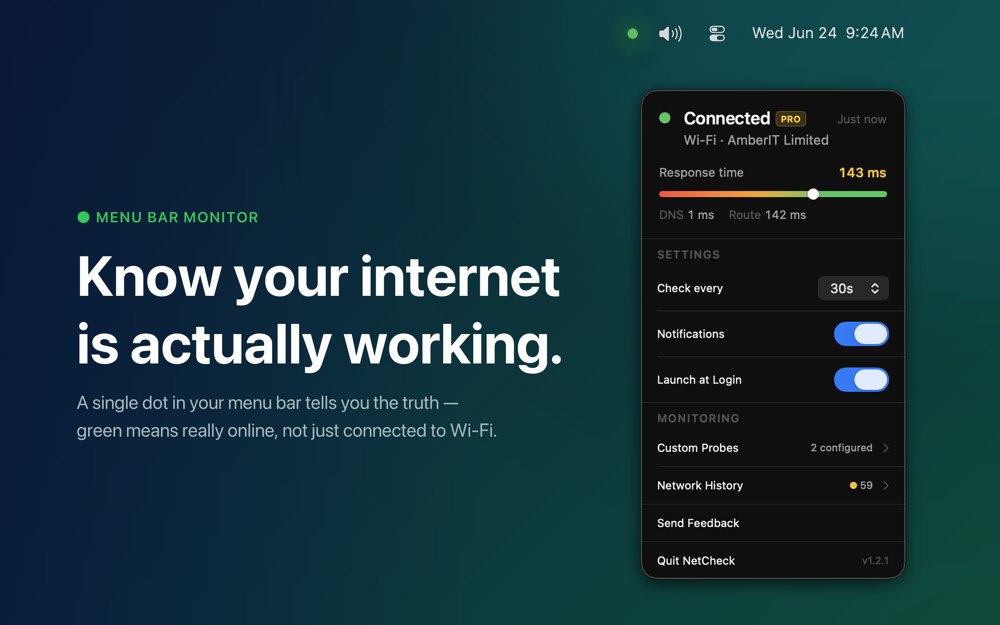
NetCheck sits quietly in your menu bar as a single dot — green when you have internet, grey when you don't. Unlike the Wi-Fi indicator built into macOS, NetCheck confirms actual internet access with a lightweight network probe.
Key Features:
- Response Time Meter — Open the popover to see your connection quality at a glance with a live bar showing response time (with DNS and route split)
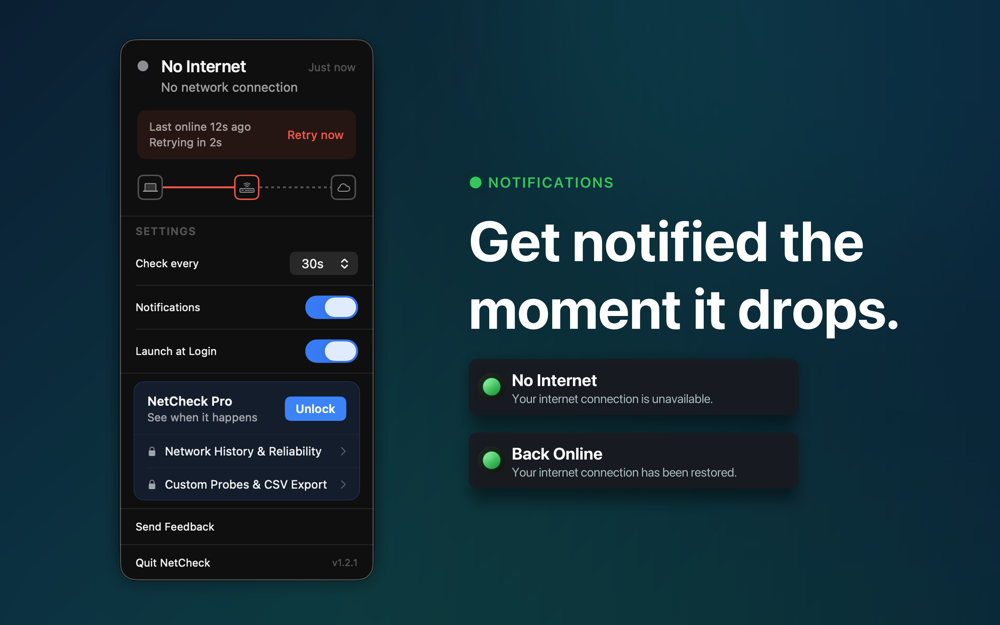
- Instant Notifications — Get notified the moment your internet drops, and again when it comes back
- ISP Identification — See your current ISP or Wi-Fi network name displayed directly in the popover
- Customizable Check Interval — Choose how often NetCheck probes: every 5 seconds, 15 seconds, 30 seconds, 1 minute, 2 minutes, or 5 minutes
- No Dock Icon — Stays out of your way with just a dot in the menu bar
- Launch at Login — Enable once and NetCheck monitors from the moment you log in
- 34 Languages — Fully localized including right-to-left layouts
NetCheck Pro (one-time purchase):
- Network History & Reliability Score (0–100)
- Custom Probe Endpoints — Add up to 2 custom HTTPS URLs
- CSV Export of connection history
- Shortcuts Integration