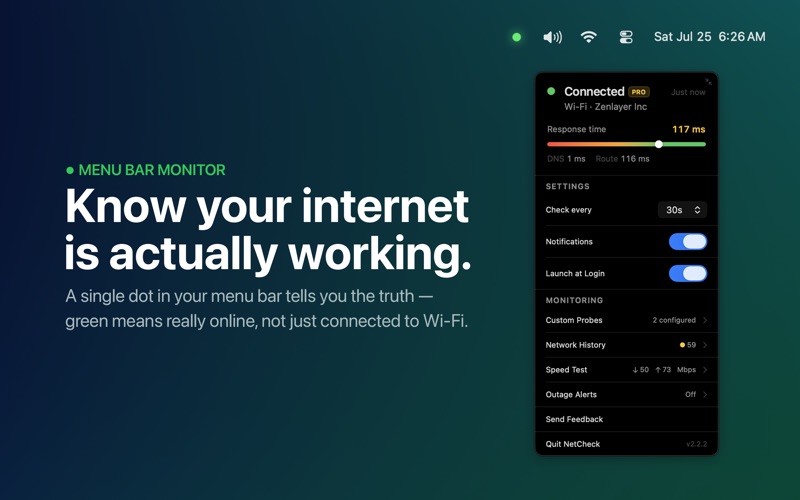
NetCheck sits quietly in your menu bar as a single dot — green when you have internet, grey when you don't.
Unlike the Wi-Fi indicator built into macOS, NetCheck confirms actual internet access with a lightweight network probe. Your Wi-Fi can show full bars while your router has no connection to the internet. NetCheck catches this and alerts you immediately.
Features
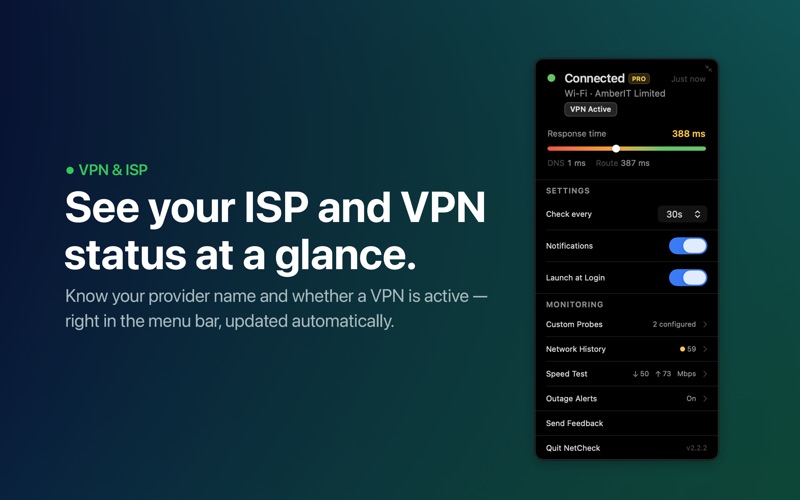
- Response Time Meter: Open the popover to see your connection quality at a glance — a live bar shows your response time with DNS and route split.
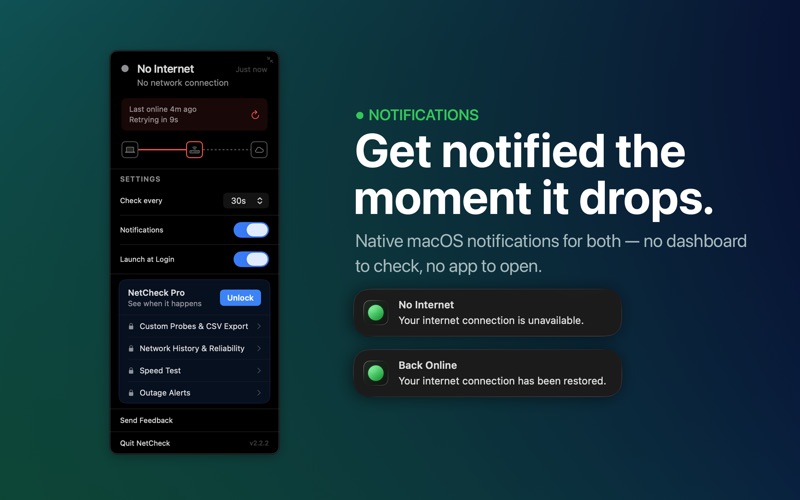
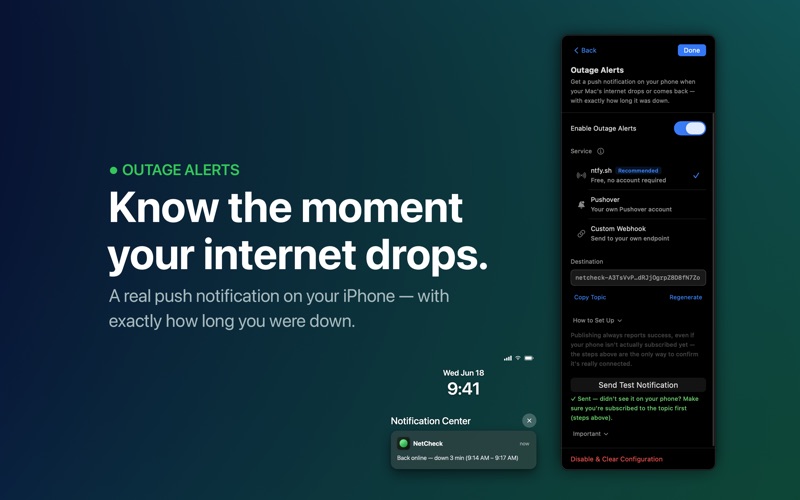
- Instant Notifications: Get notified the moment your internet drops, and again when it comes back.
- ISP Identification: See your current ISP or Wi-Fi network name displayed directly in the popover.
- Customizable Check Interval: Choose how often NetCheck probes — every 5 seconds, 15 seconds, 30 seconds, 1 minute, 2 minutes, or 5 minutes.
- No Dock Icon: Stays out of your way with no Cmd+Tab entry — just a dot in your menu bar.
- Launch at Login: Enable once and NetCheck monitors from the moment you log in.
- 34 Languages: Fully localized including right-to-left layouts.
NetCheck Pro (One-Time Purchase)
- Outage Alerts on iPhone: Get push notifications via ntfy.sh, Pushover, or custom webhooks when you're away from your Mac.
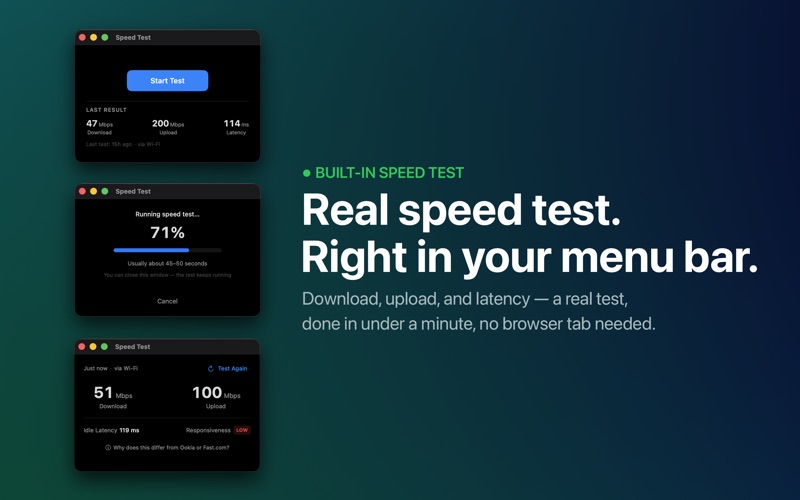
- Built-in Speed Test: Run real download, upload, and latency tests from the menu bar.
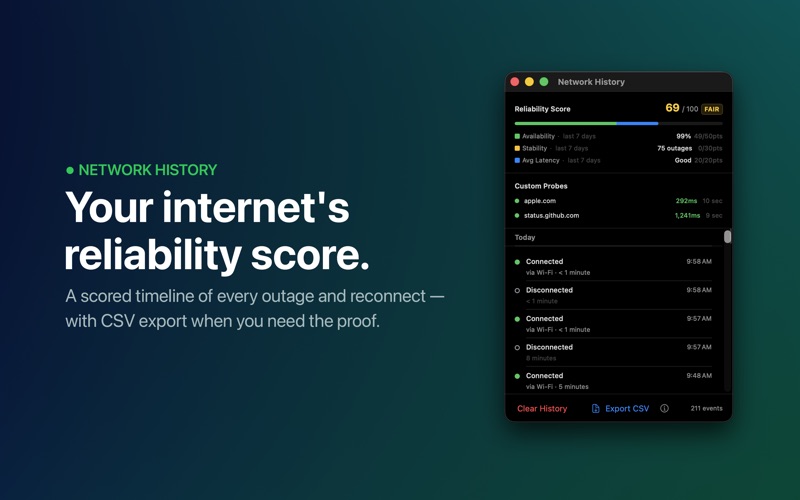
- Network History & Reliability Score: Timestamped log of every connection event with a scored reliability summary.
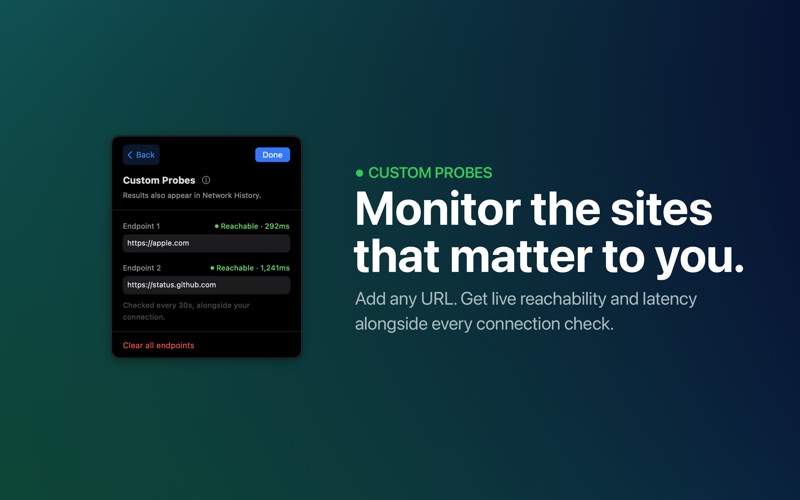
- Custom Probe Endpoints: Add up to 2 custom HTTPS URLs to check alongside every probe.
- CSV Export: Export full connection history for ISP issue reporting or records.
- Shortcuts Integration: Automate with "Get Connection State" and "Run Connection Check" actions.