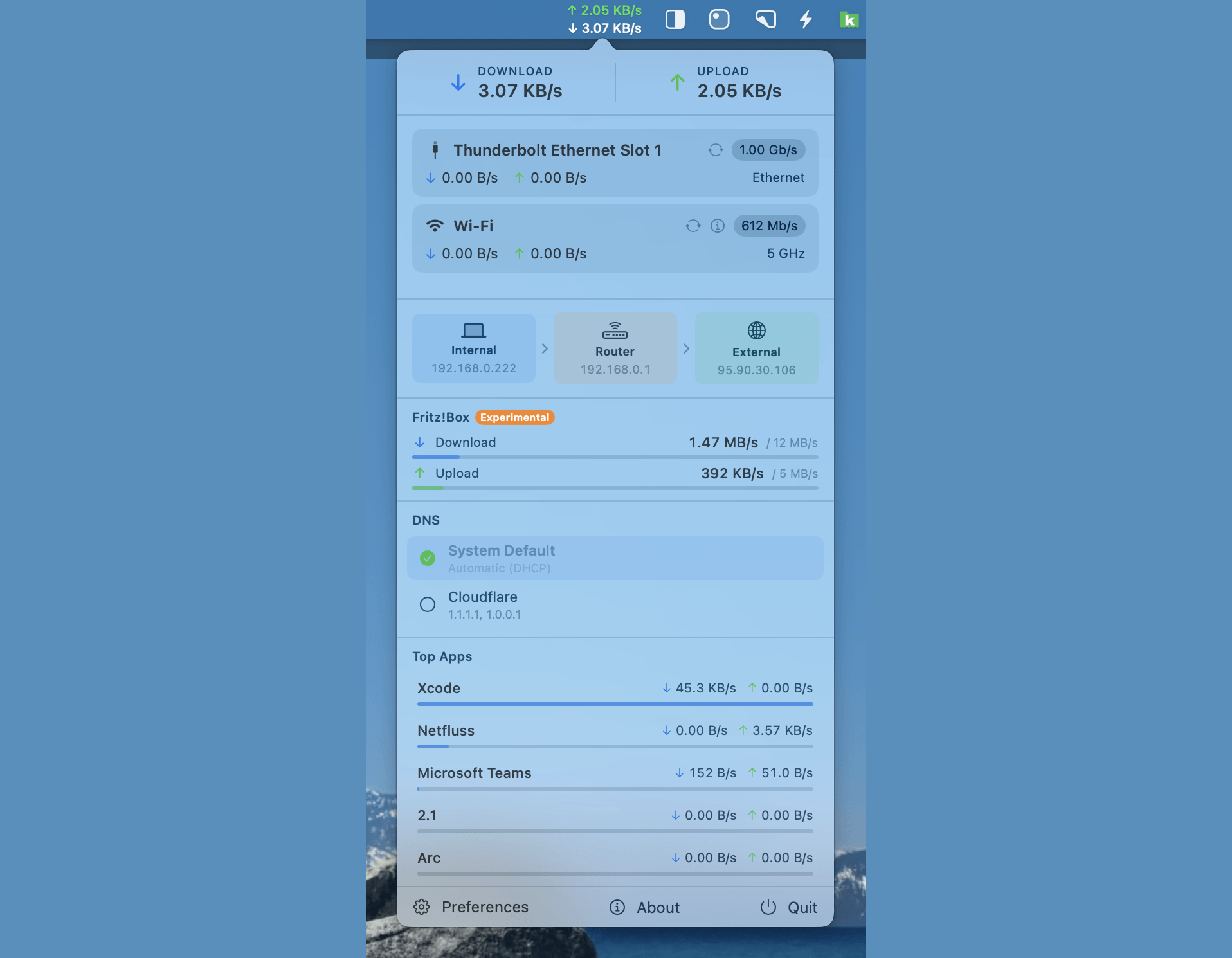
Netfluss is a lightweight, open-source macOS menubar application that displays real-time network upload and download speeds directly in your menu bar.
Key Features:
- Live speed display — Shows upload ↑ and download ↓ rates in the menu bar with monospaced digits for stable layout
- Multiple adapters — Monitors all active network interfaces (Wi-Fi, Ethernet, VPN, virtual)
- Detailed popover — Click the menu bar icon for a rich view including:
- Per-adapter cards with link speed, frequency band, and reconnect button
- IP addresses (external, internal, router) with copy buttons
- Wi-Fi details (standard, security, RSSI, noise, SNR, BSSID)
- Top apps by network usage with filtering options
- Router integration (Experimental) — Bandwidth monitoring for Fritz!Box, UniFi, and OpenWRT routers
- DNS Switcher — Quick switch between DNS providers (Cloudflare, Google, Quad9, OpenDNS, custom)
- Customizable appearance — Font size, colours, themes (System, Dracula, Nord, Solarized), icon mode
- Launch at login — Optional auto-start on macOS boot
Technical Details:
- Written in Swift
- Licensed under GPL v3
- Requires macOS 13 Ventura or later
- Notarized and signed with Developer ID
- Available via Homebrew:
brew install --cask rana-gmbh/netfluss/netfluss