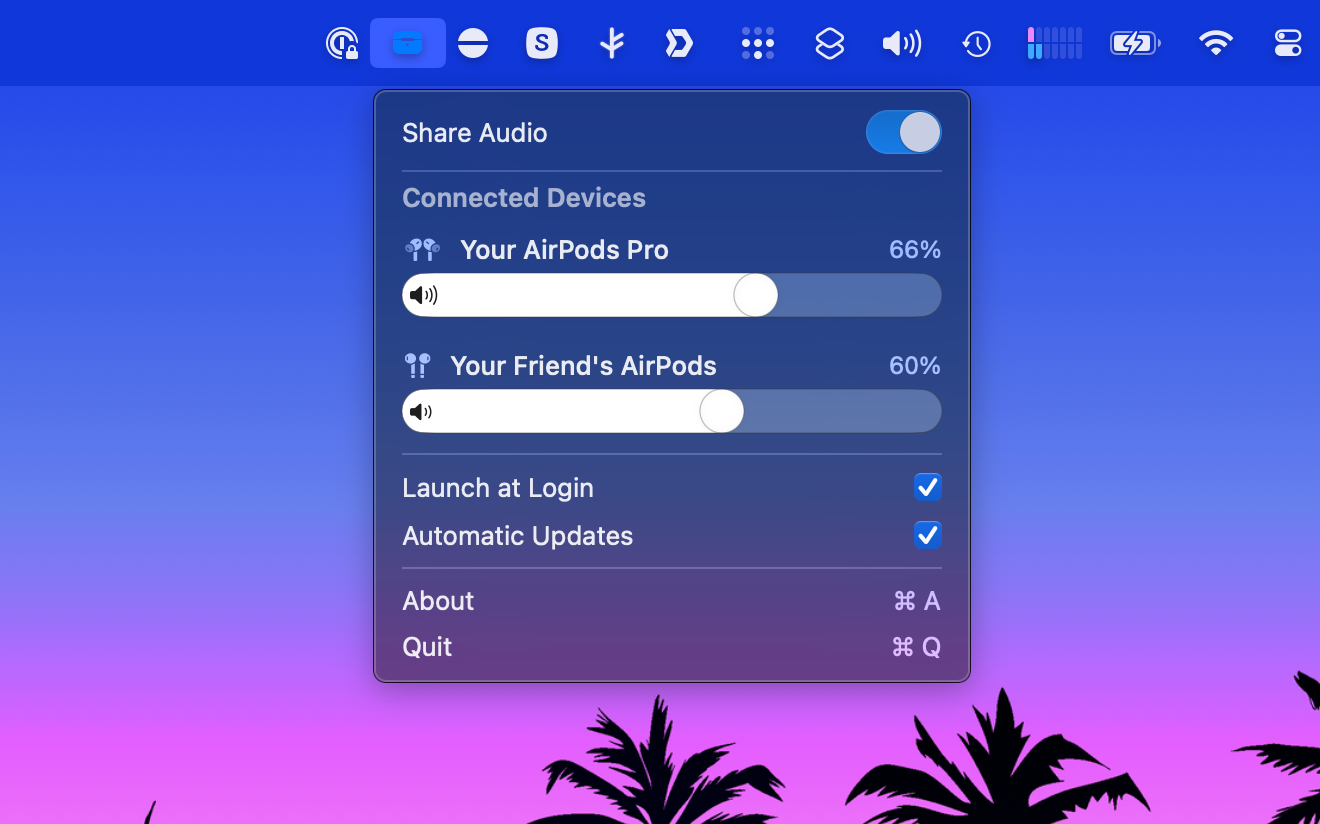
PairPods is a macOS menubar app that lets you share audio between multiple Bluetooth devices simultaneously. Whether you're watching a movie with a friend on a train or sharing your favorite music, PairPods makes it easy to create shared listening experiences.
Features
- Share audio between two or more Bluetooth devices
- Per-device toggles to choose which devices participate
- Compatible with all macOS-supported Bluetooth audio devices
- Simple plug-and-play interface
- Quick access from the menubar
- Adjust volume levels for each device separately
- Auto-reconnect when devices disconnect
- Configurable auto-reconnect timeout (Off, 5 s, 10 s or 30 s)
- See each device's sample rate to understand audio quality and mismatch
- Battery level display when supported by the device
- Set any device as the master clock with one click
- Native macOS app built with SwiftUI
- Completely free and open source
Requirements
- macOS 13.5 (Ventura) or later
- Both Apple and Intel silicon are supported
- Two or more compatible Bluetooth audio devices
Installation
Homebrew
brew install --cask pairpods
Manual Installation
- Download the latest release from the releases page
- Double click on the .zip file to unzip it
- Move PairPods.app to your Applications folder
- Launch PairPods from your Applications folder
Usage
- Connect two or more Bluetooth devices to your Mac
- Click on the PairPods menubar icon
- Use the checkboxes to select which devices to include
- Toggle Share Audio to start sharing
- Toggle again to stop sharing