System Data is a menu bar utility that opens the black box of macOS storage. When you open System Settings > General > Storage on a developer Mac, "System Data" is often the largest line — with no way to see inside it. This app reveals what's actually in there and lets you clean it up safely.
Features
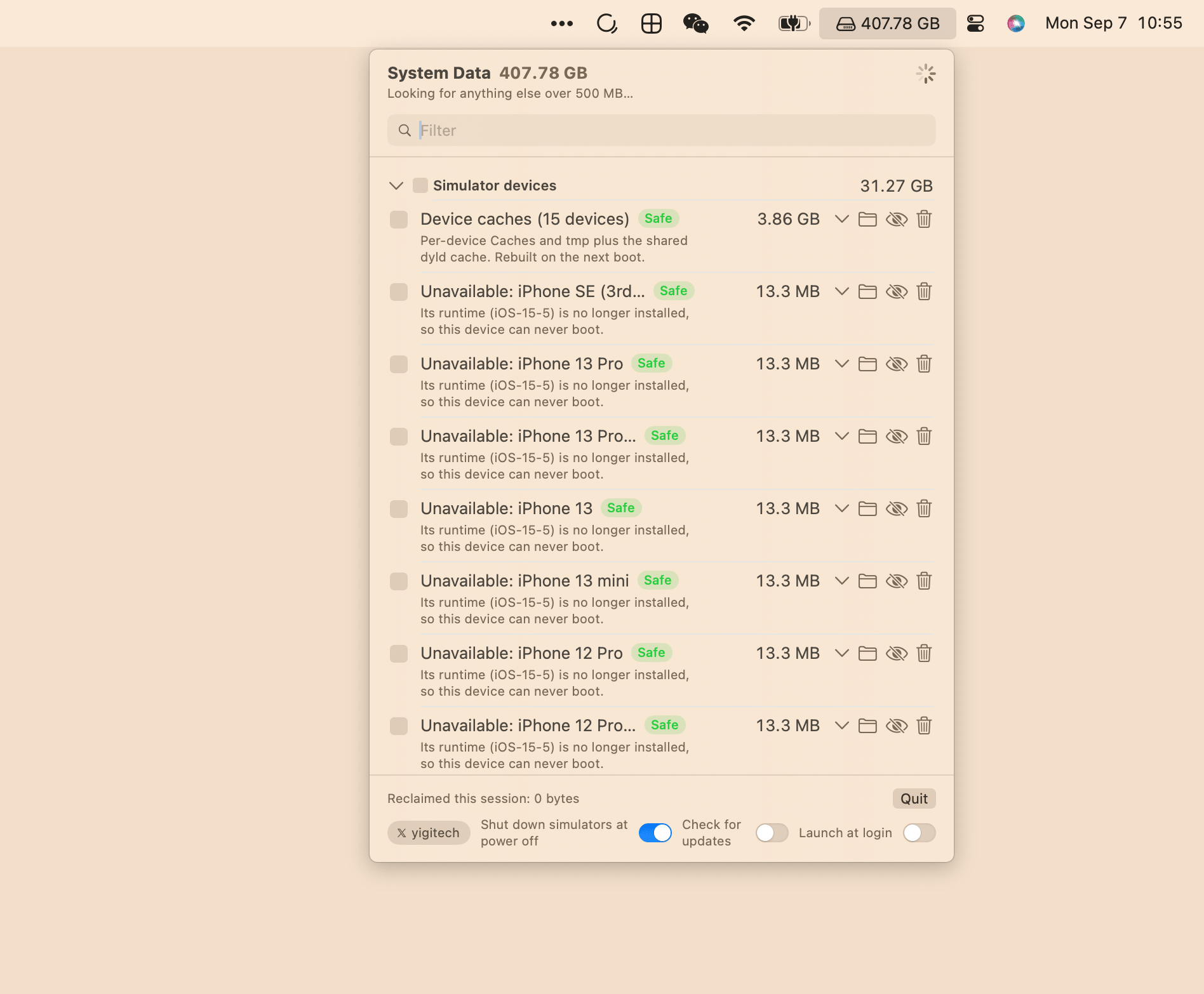
- Menu bar icon showing the total size of everything the scan found — the same number Storage settings calls System Data. Scans on launch and once a day.
- Itemized list with 180+ items across 18 groups, each showing its measured disk size and a safety badge:
- 🟢 Safe — regenerates automatically
- 🟡 Review — costs you something (a simulator, a login, a re-download)
- 🔴 Protected — cannot be removed by the app; the info button shows the command or settings path
- Smart deletion: Review items go to the Trash (undoable for 30 days). Safe items are deleted outright because they come back on their own.
- Drill down: Click any row to see its five largest entries before deciding.
- Filter & batch: A filter field narrows the list by name, description, or group. Tick rows and use Delete Selected — every root action is folded into one script, so the administrator password is asked only once. Select All Safe ticks everything regenerable.
- Hide items: The eye button removes an item from future scans (e.g. Ollama models you want to keep). A footer link brings hidden items back.
- Time Machine snapshots: Local snapshot size is shown in the header, so the effect of deleting snapshots is visible.
- Launch at login switch in the app footer.
- Privacy-first updates: The app can check GitHub once a day for a newer release, but this is off by default and is the only network request the app ever makes.
Installation
brew install --cask Jarvis322/tap/sysdata
Or download the DMG from the latest release.
Requires macOS 14 (Sonoma) or later.